
| The name of the base system (platform): | 1C: Enterprise 8.0 |
| Developers: | 1C Joint Stock Company |
| Last Release Date: | 09.07.2025 |
| Technology: | ERP, SaaS - Software as a Service |
The main articles are:
2026: Integration with Nexign Nord
The special version of Nexign Nord for 1C is fully compatible with the 1C: Enterprise platform. The two solutions will improve business performance and reduce total cost of ownership. Nexign announced this on March 2, 2026. More [1]here.
2025
Upgrade the Certificate of Compatibility with Handy Backup
On December 11, 2025, Novosoft Development LLC announced the extension and update of the Handy Backup compatibility certificate with 1C:Enterprise 8.3 program. Certification confirms the correct operation of the solution at the level of data exchange in the managed application mode and the ability to use Handy Backup for routine backup of 1C data in an enterprise environment. [2]Подробнее #.2A__.D0.9E.D0.B1.D0.BD.D0.BE.D0.B2.D0.BB.D0.B5.D0.BD.D0.B8.D0.B5_.D1.81.D0.B5.D1.80.D1.82.D0.B8.D1.84.D0.B8.D0.BA.D0.B0.D1.82.D0.B0_.D1.81.D0.BE.D0.B2.D0.BC.D0.B5.D1.81.D1.82.D0.B8.D0.BC.D0.BE.D1.81.D1.82.D0.B8_c_.C2.AB1.D0.A1:.D0.9F.D1.80.D0.B5.D0.B4.D0.BF.D1.80.D0.B8.D1.8F.D1.82.D0.B8.D0.B5.C2.BB здесь.
Compatibility with ATOL Optima 8
ATOL September 5, 2025 announced the confirmation of the compatibility of the POS terminal ATOL Optima 8 with the 1C:Enterprise 8 program system in the Windows 10 operating system. The certificate issued based on the results of testing confirms the correct operation of the solution. Read more here.
Technical update of " versions 8.3.27.1646 and 8.3.27.1647
On July 9, 2025, 1C announced the release of a technical update of the 1C:Enterprise 8.3z Protected Software Complex (1C: Enterprise 8.3z ZPK), a general-purpose software with built-in means of protecting against unauthorized access to information that does not contain information constituting a state secret.
Update version: 8.3.27.1646 (based on version 8.3.27.1644 of 1C:Enterprise 8 technology platform).
Update version for Version 2: 8.3.27.1647 (based on version 8.3.27.1644 of 1C:Enterprise 8 technology platform).
The release of the update is due to the elimination of a number of vulnerabilities and accumulated functional errors in the 1C:Enterprise 8 technology platform.
The checksums of the files of the distribution kit "1C:Enterprise 8.3z" versions 8.3.27.1646 and 8.3.27.1647, instructions on the features of installing the update and a description of the differences from version 8.3.27.1644 will be communicated to consumers by e-mail by a letter signed by a qualified electronic signature.
Prior to the approval of the Notice of Change of the Product Form, the delivery of ZPK "1C:Enterprise 8.3z" will be carried out in the form of versions 8.3.23.1775 and 8.3.23.1796, therefore, users who first purchase ZPK "1C:Enterprise 8.3z" will need to reinstall it immediately after purchasing the product for the updated version.
OS The Windows version does not support working with Apache and IIS web servers and, accordingly, the related functionality is not available (web client, http services, etc.). The restriction is due to the requirements of the regulator.
The ability to use external binary data stores is disabled. By default, v2 restructuring and full-text search mechanisms v2 are not available in the version.
The certified delivery is now missing:
- In the Windows version, web server extension modules and the webinst utility.
- 1cv8a utility.
- Java modules that implement v2 restructuring and full-text search mechanisms v2, as well as installers of the 1C: Enterprise - Notification and Launch application are excluded from the tool, but are available in the Additional Components directory located on the tool update resource as a 1c-enterprise-ext-components-8.3.27.1646.zip file
Support for operating systems has been implemented:
Windows Family OS:
- Microsoft Windows 11; - Microsoft Windows Server 2019 (x86_64); - Microsoft Windows Server 2022 (x86_64).
Linux family OS: - Ubuntu 20.04 LTS;
- Ubuntu 22.04 LTS;
- Ubuntu 24.04 LTS;
- Astra Linux Special Edition 1.6 (generic kernel only, certificate of conformity to FSTEKRossia No. 2557 dated 27.01.2012; the end of the 31.12.2050) technical support period;
- Astra Linux Special Edition 1.7 (generic kernel only, certificate of conformity of the FSTEC of Russia No. 2557 dated 27.01.2012; the end of the 31.12.2050) technical support period;
- Astra Linux Special Edition 1.8 (generic kernel only, certificate of conformity of the FSTEC of Russia No. 2557 dated 27.01.2012; the end of the 31.12.2050) technical support period;
- Alt 8 SP (Certificate of Conformity of FSTEC of Russia No. 3866 dated 10.08.2018; the end of the 10.08.2073) technical support period;
- Red OS (Certificate of Conformity of FSTEC of Russia No. 4060 dated 12.01.2019; the end of the 31.12.2030) technical support period;
- MOS version 12.
Due to the termination of support for the MS Windows 10 operating system from October 14, 2025 and the lack of domestic operating systems certified according to security requirements, starting from the next version of the product, the 32-bit version of the tool will be discontinued:
- 4601546148605 Protected software package "1C:Enterprise 8.3z" (x86-32). Execution 1. Boxed supply
and updates to previously purchased 32-bit versions.
1C recommends that you upgrade to the 64-bit version of the tool in advance (for more details, see Information Letter 21439).
Support DBMS

Compatible with POS terminals Atol Neo and I Max 15/16 v2
POS terminals ATOL NEO 15/16 and ATOL MAX 15/16 v2 are officially recognized as compatible with the 1C:Enterprise 8 program system for working in the Windows 10 operating system. ATOL announced this on July 9, 2025. Read more here.
2024: Inclusion of 1C:Enterprise 8.3z in the catalog of digital products of the GosTech platform
The first product included in the catalog of digital products of the GosTech platform as an additional one was the 1C: Enterprise 8.3z software package. This was announced on January 18, 2024 by representatives of 1C. Before being included in the catalog, the 1C: Enterprise platform passed all checks for compliance with the requirements for GosTech services, as well as technical tests at the GosTech stand. The expert conclusion of the product test protocol at the stands of GosTech was approved by the Interdepartmental Working Group on Architecture Ministry of Digital Development Russia.
1C: Enterprise is a Russian technology platform designed to develop its own application solutions for optimizing the operation of enterprises. During the operation of the platform, certified partners have created more than 500 industry solutions in various types of activities.
 | "Adding a product to the GosTech catalog means that the decision has passed the necessary checks and meets all safety criteria for use in state information systems and services. After the inclusion of the 1C:Enterprise 8.3z platform, developers from all over the country can apply their competencies for new customers - federal and regional departments, whose information systems are transferred to the GosTech platform, "said Vasily Slushkin, director of the GosTech PKU. |  |
| | The introduction of 1C:Enterprise 8.3z platform into the additional services of GosTech will allow our numerous partners, on the one hand, to quickly and efficiently solve the problems of automation of state structures, first of all, at the regional and municipal level, using the key products of 1C, starting from accounting, contract management, payroll and human resources, automation of document management, ending with management of state and municipal purchases, management of property of a state institution, management of vehicles and taking into account fuel and lubricants. On the other hand, it will allow large integrators, using the joint advantages of the GosTech platform and the 1C:Enterprise 8.3z platform as part of additional GosTech services, to create specialized solutions at the federal level in the field of medicine, agriculture, transport, education, housing and communal services, etc., "- added the founder of 1C company Boris Nuraliev. | |
As part of 1C:Enterprise 8.3, the protected software package has built-in security tools and is suitable for working with state information systems up to and including class 1 security, as well as information systems up to and including level 1 personal data security. All configurations developed using the security system can be used to create information systems using personal data of any class, and additional certification of application solutions is not required.
Any Russian software supplier that meets the requirements for procurement participants in accordance with the 44-FZ, has rights to a digital product and applies safe software development standards, can submit applications for the inclusion of its solutions in the catalog of digital products of the GosTech platform.
2023
"1C: Enterprise" became the first software product that passed the test for inclusion in the GosTech catalog
The protected software complex "1C:Enterprise 8.3z" was the first software product to be tested for inclusion in the catalog of digital products of the GosTech platform. The product passed all checks for compliance with the requirements for platform services, as well as technical tests at the GosTech stand.
After the approval of the expert opinion of the Interdepartmental Working Group on Architecture Ministry of Digital Development Russia ": 1C Enterprise 8.3z" will be included in the GosTech catalog as an additional platform service , the Gostech PKU reported. This is expected to happen before the end of 2023.
Products included in the catalog of digital products of GosTech, after making changes to the 44-FZ, can be purchased according to a simplified procurement procedure "from the shelf" (including through the State Market).
The corresponding bill as of December 20 passed three readings in the State Duma, then it is expected to be approved by the Federation Council and signed by the president.
Purchases through the State Market will simplify procurement procedures, facilitating access for state customers. State customers will be able to choose and purchase additional platform services for creating GIS.
Jatoba DBMS Compatibility
The domestic Jatoba DBMS is now compatible with the 1C: Enterprise platform. Gazinformservice (GIS) announced this on August 7, 2023. Read more here.
Platform V Pangolin v5.3.0 DBMS Compatibility
Sber Tech, a subsidiary of Sber, and 1C completed test tests on the interaction of 1C:Enterprise 8 platform with the Platform V Pangolin relational database management system (version 5.3.0). Tests showed compatibility and high performance of two IT solutions. This was announced on February 13, 2023 by the press service of Sberbank. Read more here.
Technical update "1C:Enterprise 8.3z"
On January 18, 2023, 1C announced the release of a technical update of the 1C:Enterprise 8.3z Protected Software Complex (1C: Enterprise 8.3z ZPK), a general-purpose software with built-in means of protecting against unauthorized access to information that does not contain information constituting a state secret (certificate of conformity of the FSTEC of Russia from 02.09.2015 3442).
Update version: 8.3.21.1676 (based on version 8.3.21.1674 of 1C:Enterprise 8 technology platform).
The release of the update is due to the elimination of a number of vulnerabilities and accumulated functional errors in the 1C:Enterprise 8 technology platform.
The checksums of the files of the ZPK "1C:Enterprise 8.3z" distribution version 8.3.21.1676, instructions on the features of installing the update and a description of the differences from version 8.3.21.1674 will be communicated to consumers by e-mail signed by a qualified electronic signature.
Prior to the approval of the Notice of Change of the Product Form, the delivery of ZPK "1C:Enterprise 8.3z" will be carried out in the form of version 8.3.17.2102, therefore, users who first purchase ZPK "1C:Enterprise 8.3z" will need to reinstall it for the updated version immediately after purchasing the product.
2022
Addressing a critical vulnerability
The company 1C"" on November 14, 2022 announced that in the versions of the platform 1C: Enterprise"" 8.3.22.1672, 8.3.22.1603, 8.3.21.1607, 8.3.21. 1508, 8.3.21.1484, 8.3.20.2076, 8.3.20.2039, 8.3.19.1665, 8.3.19.1659, 8.3. 18.1902, 8.3.18.1894, 8.3.17.2733, 8.3.17.2665 found a critical problem that can lead to the closure of the application at the beginning of work with the program.
This problem does NOT appear:
- in other versions of the platform;
- in protected software complexes 8s, 8.3z;
- when working in web clients, Linux clients, MacOS;
- in the 1CFresh.com service (1C: Enterprise through Internet).
Changing the external conditions of the 15.11.2022 can significantly increase the likelihood of this problem - it is assumed that many users of the listed versions will not be able to work tomorrow.
The problem does not result in loss of user data.
Therefore, users of the versions listed above are advised to upgrade the 1C: Enterprise platform before the start of the business day 15.11.2022, as indicated in the table:

With this replacement, the functionality of the versions does not change.
When replacing the specified versions of the platform, all accumulated data in the information database will be saved.
Versions with fixes will become available within a 14.11.2022 in the 1C: Updating programs service on the Information Technology Support portal 1S:ITS portal.1c.ru. Problematic versions in the near future time will no longer be available for download.
Distributions of the 1C:Enterprise 8 platform are provided to registered users of the 1C:Enterprise 8 system software products in the manner prescribed for them. The procedure and conditions for providing updates are specified in the registration card of the software product. For example, users of PROF or CORP versions must have a valid 1S:ITS Information Technology Support contract.
Platform updates can also be obtained through 1C partners.
Release of version 8.3.22 with support for Linux systems on ARM architecture
In September 2022, 1C Company on the implementation of support for Linux systems based on the ARM architecture in 1C: Enterprise. The innovation occurred in version 8.3.22 of the platform. Compatibility with the following distributions is declared:
- Ubuntu 20.04 LTS.
- Ubuntu 22.04 LTS.
- Astra Linux Special Edition 1.7
- Alt Education 10
- Alt Workstation 10
- Alt Workstation K 10
- Alt Server 10
- 2013,

In addition, work with the following DBMS is supported:
- PostgreSQL, including the version in Astra Linux;
- PostgresPro;
- Oracle;
- Date accelerator (a separate DBMS of ROLAP class, in which a copy of the data can be stored);
- File option (when the directory contains auxiliary directories and a 1CD file).
1C pointed out the lack of support in the version for ARM processors for the hardware security keys of the 1C: Enterprise platform, because the keys from applications assembled and running under ARM are not visible. Also, you cannot work in Windows of all versions, with Microsoft SQL Server DBMS and IBM DB2 of all versions. Assembly platform "1C: Enterprise" on ARM processors is not supplied for Apple (Mac) computers either.
After upgrading to version 8.3.22 and switching to ARM, conversion of configurations, information bases, external processing and reports is not required. However, it may be necessary to rebuild external components for the ARM architecture.
Only owners of Corp-level licenses can use the ARM version of the platform by September 9, 2022. 1C Korp products tend to differ from Prof in having broader functionality. In particular, "1C: Enterprise" in the "Corp" version is designed to work with a large number of users. The division of client licenses into a platform by levels "Prof" and "Corp" began in 2018, with the release of "1C: Enterprises 8.3.12[1]
Issue "1C: Enterprise 8s" version 8.3.19.1405
On June 8, 2022, 1C announced the release, based on the results of certification tests, of an updated version of the 1C: Enterprise 8s Protected Software Complex (1C: Enterprise 8s ZPK), an application software with built-in protection against unauthorized access to information that implements the functions of identification and authentication, access control, registration of security events, information recovery, memory cleaning and integrity control.

ZPK "1C: Enterprise 8s" is certified in the system of certification of information protection tools according to the requirements of information security N ROSS RU.0001. 01BI00 and has a certificate of conformity N 4183 (issued by the FSTEC of Russia on December 04, 2019, valid until December 04, 2024, re-issued on May 12, 2022).
According to the certificate, the product complies with the information security requirements established in the documents "Information Security Requirements Establishing Levels of Trust in Information Technical Security Tools and Information Technology Support Tools" (FSTEC of Russia, 2020) - according to the 2nd level of trust and requirements of technical specifications of TU 46.73827463.506190-ZPKS-01-2021 when fulfilling the operating instructions given in the form 46.73827463.58.29.21-ZPKS-01 30 01.
Add-ons in the version:
- The version of 1C:Enterprise 8 technological platform has been updated to version 8.3.19.1405 (corresponds to version 8.3.19.1399 of 1C:Enterprise 8 technological platform);
- The possibility of functioning in the closed-loop software environment of the special-purpose operating system Astra Linux Special Edition 1.6 RUSB.10015-01 has been implemented;
- Enhanced functionality of the access control mandate principle;
- A number of functional restrictions have been imposed, in particular, the functioning of the web client and the mobile client is prohibited;
- Software vulnerabilities identified have been eliminated;
- The operating instructions have been clarified.
It should be noted that in most cases standard application solutions of 1C:Enterprise 8 program system, manufactured directly by 1C, will require additional settings and configuration.
Industry and specialized application solutions of the 1C: Enterprise 8 program system that use the external component of the Configuration Licensing System in the 1C: Enterprise 8s environment as protection against illegal copying will not function.
Release "1C:Enterprise 8.3z" version 8.3.17.2598
On June 3, 2022, 1C announced the release of a technical update of the 1C:Enterprise 8.3z Protected Software Complex (1C: Enterprise 8.3z ZPK), a general-purpose software with built-in means of protecting against unauthorized access to information that does not contain information constituting a state secret (certificate of conformity of the FSTEC of Russia dated 02.09.2015 N 3442).
Update version: 8.3.17.2598 (based on version 8.3.17.2586 of 1C:Enterprise 8 technology platform).
The release of the update is due to the elimination of a number of vulnerabilities and accumulated functional errors in the 1C:Enterprise 8 technology platform.
The update is available for download on the Online.1C portal.
Notification on the change of the form of ZPK "1C:Enterprise 8.3z" will be notified by a separate letter upon completion of testing of the product according to safety requirements.
The checksums of the files of the ZPK "1C:Enterprise 8.3z" distribution version 8.3.17.2598 will be brought to consumers by e-mail by a letter signed by a qualified electronic signature.
Prior to the approval of the Notice of Change of the Product Form, the delivery of ZPK "1C:Enterprise 8.3z" will be carried out in the form of version 8.3.17.2102 (information letter of the Company "1C" dated 09.06.2021 N28391), therefore, users who first purchase ZPK "1C:Enterprise 8.3z" will need to reinstall it for the updated version immediately after purchasing the product.
1C: Enterprise 8.3.21
On April 26, 2022, 1C announced the release of version 8.3.21 of the 1C: Enterprise platform

A number of improvements increase usability and stability:
- During a video call, you can create a discussion associated with this call. After that, all participants included in the discussion are transferred to this discussion.
- The screen display mode has been improved - the video call window is not hidden, but changes its appearance to compact. Thus, during the screen demonstration, you can see other participants in the conversation.
- A setting has been added that fixes the problems of receiving and playing sound during a video call in a thin client. These problems occurred on some microphones and audio systems.
- Once you have unregistered, you can re-register the interaction system if the e-mail address to which the initial registration was performed is forgotten.
- The probability of a failed connection during a video call is reduced.
- Improved image quality when video calling in portrait mode.
- Reduced CPU load on slow client computers during group video calls in gallery mode.
Video from users working in web client browserFirefox is always displayed in high quality, regardless of which client other users are in. For example, a user in a thin client will watch video from a user working in Firefox in high quality, regardless of the display mode: in the gallery, in the ribbon, in the portrait, in a compact window. With the increase in the number of Firefox users in video calls, you can see an increased load on client computers and the network compared to similar calls that do not have users in Firefox.
You can use JWT token authentication (RFC 7519 standard):
- in HTTP services;
- In web services
- when connected to information databases over the Internet using a thin client or web client.
This allows you to implement, for example, the following scenarios:
- Call an external HTTP or web service that supports JWT tokens from the 1C: Enterprises application. Authentication through JWT tokens is used by many public services, for example, the Unified Identification and Authentication System (ESIA), services of the Ministry of Health and Social Development of the Russian Federation, the national digital marking system Honest Sign.
- From the application "1C: Enterprises" through the HTTP or web service, programmatically call the function of another application on behalf of the user of another application, while not storing or substituting the username and password of this user. For example, you can request a remote warehouse from a store to receive balances on behalf of a particular warehouse manager.
- Using a JWT token, you can generate a link by which the user will be provided with an interactive login to the application for a certain time (without entering a login/password):
- send a link to the new employee for the first time to "1C: Document Flow" without a password, and in "1C: Document Flow" the employee will set himself a password for further work;
- create a temporary link for the employee to enter the application without a password in order for him to fill out the questionnaire.
You can also use client GOST certificates. This simplifies integration with government portals and sites that require user authentication with certificates issued by Ministry of Digital Development of the Russian Federation certification centers.
In the Property Engine, you can use multiple values for a single property (object properties). Such an opportunity is needed, for example, when considering - Wi-Firouters that can simultaneously support several frequencies (2.4 GHz and 5 GHz), or when considering, smartphones which can be made simultaneously from several materials (plastic and glass, metal and glass).
In the web client, you can use HTTP requests to the extent that browsers allow. In clients of all types (web client, thin, thick, mobile), you can send HTTP requests asynchronously. These changes allow you to implement, for example, the following scenarios:
- Interact from the web client with the trade equipment drivers. For example, with fiscal registrars operating over the HTTP protocol. The server in this case "does not see" this equipment, since it is located on the client computer.
- Scenarios where security policies deny server access to external resources.
- Interact with an external API (for example, with an IP telephony server) in cases where the case needs to be made on the client side with the client context.
- Work with services that require OS authentication with a client account (for example, with electronic signature services).
In this version, you can use extensions in divided information databases:
- expand the general details, including details with the included data division;
- Customize the separation of objects added by the extension
- Simultaneously install data enhancements in areas and in the entire information base.
You can also enhance the composition of predefined elements from borrowed reference books, characteristic type plans, charts of accounts, and billing type plans.
Features of use:
- Together with the Gantt chart, you can display data in the table that was not originally in the chart. For example, you can show who is responsible for each phase of a project or a list of the performers involved in each phase.
- You can view and print a PDF document from the File - Open menu.
- For application solution sections containing a single command, you can use the following mode of operation: when you click on a section, the command of this section is immediately executed, and the current section does not change. By default, this mode of operation is disabled.
- The display of the function bar of the current section is improved: when changing the section, the function bar is displayed with animation in the form of smooth appearance of command text.
- You can copy not only the navigation link itself to the clipboard, but also its view.
- In list forms, you can get a navigation link to the current list item.
- Improved configuration of error messages that occur when you log on to 1C: Enterprise. You can add the following information to these messages:
- text, for example: "Call the administrator on duty at +7 (495) 123-45-67";
- link to a resource with information - for example, to a site that describes how to solve the problem that has arisen.
Optimizations:
- The server cluster and the stand-alone server have significantly accelerated the upload of the configuration to XML files. It also became possible to upload XML configuration files to a ZIP archive.
- The "Accelerator Date" has accelerated the execution of some requests.
- In client-server systems with a large number of users, the memory consumption of the 1C: Enterprise server cluster is reduced, stability is increased and the likelihood of restarting workflows as a result of exceeding the permissible memory threshold is reduced.
- Save the table document to some versions of Microsoft Excel faster.
- The display of complex tabular documents in a thin client (when the document contains a large number of combined cells and a large number of columns) is accelerated.
Other:
- External components can be run in a separate process. This improves the stability of the system in the event of an emergency shutdown of the external component.
- OS Linux Use the systemd unit file to start the 1C: Enterprise server cluster. This improves the ease of running and configuring cluster instances. Previously, scripts of the init subsystem were used for this.
- In a mobile client and in a mobile platform, you can work with ZIP files in the same way as in a desktop platform.
- Support for macOS Big Sur 11 (11.0-11.3) has been implemented.
In total, version 8.3.21 of the platform implements 74 tasks related to the improvement of functionality, and 9 tasks to optimize various functions and operating modes.
All accumulated data in information databases created using earlier versions of the platform is saved. You do not need to convert configurations, information bases, external treatments, or external reports from the previous release to version 8.3.21.
1C has changed its mind about 10 times raising prices for products with USB security keys
On March 8, 1C announced the cancellation of the previously announced decision to raise prices for its hardware (USB) protected programs 10 times. Prices remain the same. This was influenced by criticisms from users and partners.
| | With months of delay in the supply of hardware protection keys, it was necessary to switch all buyers to a more modern and cheaper version of 1C: Enterprises with software protection. However, the decision to increase prices for outdated supplies with hardware protection, which make up a small part of the assortment, in the current situation turned out to be incorrect, possible negative factors and a public opinion reaction were not provided for, and lopsided coverage in online publications and channels aggravated the negative, - explained in "1C[2]. | |
At the same time, from March 9, the company stops the free sale of 1C: Enterprise products with hardware protection (USB) until the resumption of deliveries of the necessary components - USB keys. Applications for such products at old prices starting from March 10 are considered on an individual basis, and their implementation is not guaranteed.
A reserve is formed from the warehouse balances of components to ensure the possibility of replacing faulty USB keys from users, applications are considered in the usual manner, the 1C message says.
1C raised prices for products with USB security keys 10 times due to their shortage
1C reported a significant change from March 5 in the cost of all software products with USB hardware protection. Users were advised to switch to cloud solutions and software keys. Prices for "1C:Enterprise 8" with USB security keys will rise 10 times due to the limited stock of the latter.
| | Due to the limited supply of USB security keys "1C:Enterprise 8" and the unclear prospects for their new deliveries with 05.03.2022, the price of all software products with hardware protection (boxes with USB keys, with the word "USB" in the name) is increasing 10 times, - said in a statement on the website "1C," published on March 5. | |

The company noted that the new rules will not affect those who have placed an order before 18:00 on March 4. For them, the shipment will take place at the old price.
1C noted that a number of online publications, as a sensation, published a fragment of their news about a significant increase in prices for some outdated supplies of 1C: Enterprise.
| | In fact, this is not a sensation - prices for the most popular 1C: Enterprises deliveries have not changed and remain very affordable. However, for the supply of the same programs with outdated USB hardware protection, prices have indeed been increased 10 times due to the fact that these components are imported, the stock is limited, supplies are questionable[3] explained[4]. | |
1C added that they had long worked out the issue of the operation of their programs without using these components as the main option. All USB shipments have analogues without USB keys, their prices have not changed. Partners and users will not be affected, the developer assures.
2021
Launch the mobile application build and publish service from the 1C: Enterprise platform
On September 4, 2021, 1C announced the launch of a mobile application assembly and publication service as a component of 1C:Enterprise 8 platform.
The service is available starting from platform version 8.3.20. The version of the platform "1C: Enterprise" 8.3.20 as of September 4 had the status of a version for testing, it can be downloaded on the website releases.1c.ru. To use the service, you must have an account on the developer resource developer.1c.ru. The Mobile Application Build Service is launched from the Functions for Technician section of the 1C:Enterprise 8 platform.
The use of the service is still free.
1C also noted the following features of the mobile application build and publication service:
- The documentation for the service contains a detailed description of each step of assembling and publishing a mobile application. The service is suitable for developers with zero experience in developing mobile applications. The process of preparing an application for assembly is implemented using a wizard that guides the developer through all the steps of creating and configuring a mobile application. Each step explains in detail why this step is needed.
- If you have access to the Internet, you can assemble a mobile application in a few minutes without plunging deep into the nuances of developing and building mobile applications.
- You do not need to install or configure any additional tools to build applications. Only the 1C: Enterprise 8 platform is needed.
- iOS computer macOS You do not need to build and publish applications under with.
- It is possible to deliver test versions of mobile applications directly to mobile devices, bypassing app stores.
"1C:Enterprise 8.3z" with built-in protection against unauthorized access to information
On June 17, 2021, 1C announced the release of an updated version of the 4 Protected Software Complex (ZPK 1C:Enterprise 8.3z), a general-purpose software with built-in means of protection against unauthorized access to information that does not contain information constituting a state secret, based on the results of certification tests according to the Trust Requirements (according to the 1C:Enterprise 8.3z level of trust).
In this version:
- The version of 1C:Enterprise 8 technological platform has been updated to version 8.3.17.2102 (corresponds to version 8.3.17.2127 of 1C:Enterprise 8 technological platform);
- Added support for operating systems:
- *Microsoft Windows 8.1;
- *Microsoft Windows 10;
- *Microsoft Windows Server 2016 (x86_64);
- *Microsoft Windows Server 2019 (x86_64);
- *CentOS 7;
- *Astra Linux Common Edition 2.12;
- Ubuntu 18.04 LTS;
- Added support: DBMS
- *SQL Server 2016;
- *SQL Server 2014;
- *PostgresPro Enterprise 12.4.1;
- PostgresPro Enterprise 11.4.1;
- PostgresPro Enterprise 10.6;
- PostgresPro1C10.11.1;
- PostgresPro Standard 10.9.1;
- Due to the end of support by the manufacturer, support for the OS was discontinued; Microsoft Windows 7
- Identified vulnerabilities have been fixed; software
- The operating instructions have been clarified.
1C: Enterprise 8.3.19
The company 1C"" on June 7, 2021 announced the release of the next version (8.3.19) of the platform "" on June 7, 2021.1C: Enterprise
Interface
- Passing additional parameters in navigation links allows you to use such a link to open, for example, not just a report, but also a specific report variant or report with certain settings or parameters. Users can pass links to reports with specific parameters to each other and add such links to Favorites. Configuration developers can implement the possibility of obtaining a navigation link for a specific form, upon transition to which this form will open with details filled in a certain way. It also became possible to get a link to the command by software. For example, you can derive a reference to a command to print selected expense invoices. If there is no delivery note available at the place of invoicing, printer then using such a link, invoices can be printed where there is a printer.
- The characterization mechanism provides the ability to localize characteristic representations. Previously, the same field was used to form the name and representation of a characteristic. The property name is now based on the field "Data Path Field," and the property view can have different values for different configuration languages. This feature will be useful for developers who are localizing their solutions.
- Thin and thick clients now support right-to-left languages. This mode is supported automatically throughout the client application interface, including Arabic number and date formats. The interface language or configuration language determines whether you want to change the interface. The opportunity will be of interest to partners implementing projects using languages with such spelling.
- In the form editor of the configurator, a preview of forms in the interface with writing from right to left is implemented, if the corresponding configuration language is installed.
- Support for animated SVG pictures has been implemented. They take up less space and look better than animated GIFs.
Database copies
The copy engine is used to operate the Accelerator Date service, and can also be used to deliver data that is used to generate analysis reports to an external data server base to reduce load.
- An indication of the place of execution of the request is implemented: the main database or one of the copies. Due to this, queries that can greatly affect database performance can only be executed on copies. Previously, the platform always independently chose the place where the request was executed.
- The copy mechanism can now be used in data-sharing information databases. You can include configuration objects in a copy, regardless of whether they are part of any separator. Previously, only those objects that are part of conditionally disabled separators or are not part of any separators could be added to the copy. This feature is useful for optimizing cloud solutions.
Reports
- The interoperability system is now enabled to notify users of the completion of the report, which speeds up the receipt of the report by the user. When reports are executed in the background, the platform server notifies the client application of the completion of the report through the interaction system. If there is no connection to the interaction system, the client application, as before, independently polls the server at some interval.
- Developers of applications for mobile devices will be interested in the ability to automatically convert a table document into a compact document when displaying a report.
Cluster
- A session that uses exclusive mode and prevents entry to the information base or scope can now be canceled without using the cluster administration tools. To do this, add the "End Exclusive Mode On Session Start" right. If the user has this right, then in the dialog that prohibits logging into the information base, he will see an additional button "Terminate sessions and run" (some other conditions are also required). Thus, service users who do not have access to the cluster administration tools will be able to cancel, if necessary, a routine operation that prevents entry into the region.
- The TRP license includes the ability to set the permissible memory capacity of cluster processes and interrupt large server calls. Previously, this feature was available only in the CORP license, and the PROOF license used a fixed value of 80% of the server's RAM. This improvement will increase the server stability in small systems where the DBMS and the 1C: Enterprises server are installed on the same computer.
Authentication
- It is possible to end the OpenID Connect session when the user exits the information base.
- Added the ability to prevent the user from logging into the information base using OpenID Connect authentication. In this case, even with successful authentication in the OpenID Connect provider, the user will not be able to enter the information base.
OpenID Connect allows the user to create a single account for authentication on multiple unrelated resources. The development of protocol support will be interesting for administrators who want to provide such an opportunity to their users.
Optimization
- Queries are faster when rights are restricted to data at the record and field level.
- Queries are also faster without data access restrictions at the record and field level.
- The mechanism for restricting access to data at the record and field level has been accelerated.
- The operation of the data file base is optimized when executing requests of a certain type.
- The calculation of the system of linear equations has been accelerated. For a large matrix with 11 million nodes and 22 million connections, the calculation time was reduced from 25 to 10 minutes (with 10 operating flows). The amount of memory consumed during the calculation has also been reduced.
- Reduced loading time of the dt-file (information base upload file) in the client-server version. Acceleration is achieved only when the 1C: Enterprise server and DBMS are located on the same computer or if there is a high bandwidth (1 Gb) communication channel. It is advisable to place the information base on an SSD disk. With the 100Mbit network interface, acceleration will not be so significant.
Other
- The possibility of connecting to SMTP mail servers using the OAuth authorization protocol is implemented. Previously, the use of OAuth was only available for IMAP servers.
- The info command of the licensing utility is extended with additional fields indicating which type each particular license has, whether it is bound to a Hardware Security Key (HASP), and whether it is a standalone license or extension of the PROF to the ROP. The work of the command is designed both for users (taking into account the localization and human-readable names) and for the work of automatic analysis scripts (without taking into account the peculiarities of localization and localized formats of data presentation).
- When working with an information base at the same time, no more than 5 users (client application sessions) without 1C: Analysts licenses will be technically possible and it is legitimate to work with one analytics system client session, Date Accelerator and use Database Copy Engine to work with Date Accelerator. This feature is useful for developing application solutions, as well as for studying and testing 1C: Analytics.
In total, version 8.3.19 of the platform implements 64 tasks related to the improvement of functionality, and 7 tasks to optimize various functions and operating modes.
Version 8.3.19 of the platform can be obtained from the 1C: Updating programs service on the 1S:ITS portal.
2020
Integration with ALP Group's Process Mining Application
On October 28, 2020, ALP Group (ALP-IS LLC) announced that it had made PProcess Mining one of the key tools in integrated ERP projects. This solution is fully integrated with the 1C: Enterprise system and can be used in organizations of all sizes and areas of activity. Read more here.
Choosing Liberica JDK as the standard Java execution environment
On October 20, 2020, it became known that the company 1C"" chose the company's domestic platform Liberica JDK Bellsoft as a standard means of launching components of the system "" programs 1C: Enterprise written in the language. programming Java In addition, Bellsoft will provide technical support to 1C.

As explained, the Java runtime environment included in the Liberica JDK package is planned to be included in the 1C software delivery kits, which includes Java components. In particular, the 1C:Enterprise Development Tools (EDT) developer tool needs a Java execution environment for its work.
1C:EDT is a cross-platform, extensible application development environment for the 1C: Enterprise platform. It is based on the Eclipse open source Java integrated development environment. 1C:EDT includes development automation tools, and also allows you to expand the functionality of development tools using add-ons (plugins).
1C chose Liberica JDK as the standard execution environment for Java components of its programs The representative of "1C" confirmed the fact of the transition to Liberica JDK, but refrained from telling about the details.
Speaking about the possible reasons for choosing 1C in favor of Liberica JDK in the form of alternatives in the form of Oracle JDK and OpenJDK, Bellsoft CEO Alexander Belokrylov noted that thanks to cooperation with Bellsoft, 1C is able to provide its users with a secure Java execution environment, as well as the ability to quickly correct defects found right in the OpenJDK project. In his opinion, the expertise and experience of Bellsoft engineers allow supporting components in updated versions of Liberica JDK that have been excluded from Oracle JDK support, for example, JavaFX.
In April 2019, Oracle changed the terms of use of Oracle JDK. Under the terms of the updated license, it became prohibited to use Oracle JDK/JRE for commercial purposes for free. Up to this point, 1C has recommended this particular build to run the 1C:Enterprise Development Tools development environment.
In the note to the release of EDT version 1.11.0, which took place in the summer of 2019, in the absence of a corresponding subscription, instead of Oracle JDK, it was proposed to use one of the distributions based on OpenJDK, including Liberica JDK.
Liberica JDK is a Java application development and launch environment. The product was created by the Russian company Bellsoft based on the open source project OpenJDK. Liberica JDK is positioned by the developer as a full-fledged replacement for Oracle JDK. Liberica JDK is included in the register of Russian software, allowed by the FSB for use with certified cryptographic tools and tested for compatibility with a number of domestic operating systems.
Liberica JDK supports a wide range of platforms including both modern 64-bit Linux x86, ARM, and legacy 32-bit, Solaris SPARC, x86, PowerPC. The system also works on Russian operating systems: Astra Linux, Alt, Red OS, Rosa. Thus, Liberica JDK is suitable for working in a heterogeneous environment.
The original developer of Java, Sun Microsystems, which was absorbed by Oracle in 2009, opened Java source code under the GNU GPL v2 free license in 2007 and created the OpenJDK project, allowing other companies to participate in the development of the platform.
Starting with version 11, which was released in September 2018, the Oracle JDK platform is paid. The last public update of Java 11 was released in February 2019. As of October 2020 and until December 2026, access to security patches and critical fixes for Java 11 is possible only for commercial Oracle customers. Java 8 is another current version of the platform, released in March 2014, and its users stopped receiving public updates in January 2019. Bellsoft offers commercial support for Java 8 and 11 versions on its own Liberica JDK platform until 2031 and 2027, respectively.
Liberica JDK, according to Bellsoft representatives, includes all fixes for critical vulnerabilities, defects and performance optimization. Bellsoft, along with Red Hat, SAP, Google and IBM, is one of the five companies that contribute the most to the development of OpenJDK (by the number of patches sent). This allows customers of the Russian company to receive security fixes synchronously with Oracle Java[5].
Inclusion of Armenian language in interface version 8.3.16.1173
The company 1C"" on August 28, 2020 announced the inclusion 1C: Enterprise Armenian of the language in the platform interface "8."
The translation and adaptation of the interface into the national language was carried out by One Soft (g) Yerevan by order of 1C, taking into account the peculiarities of the terminology and legislation of the Republic. Armenia
Among the features of the platform with the Armenian language:
- Convenience for users using the Armenian language in work and documentation;
- Easy configuration and customization of solutions for partners from; Armenia
Users of products containing the 1C:Enterprise 8 platform will be able to receive an updated version containing the Armenian language, starting with release 8.3.16.1173.
The user can choose from: Russian-language, English-language or interface in Armenian, as well as in any of the languages that are included in the platform.
With the release of localized 1C solutions with the support of the Armenian language and the legislation of the Republic of Armenia, relevant information letters will be issued.
Version 8.3.17 of the 1C: Enterprise platform
Interaction system
Usability. A number of improvements increase the convenience of working with the interaction system:
- Specifies the recipients of the message for a non-context (non-object-related "1C:Enterprise 8") discussion. Users listed as recipients will be notified of a new message even if they have the status "Do not notify new messages" for this discussion.
- Displays the Reply and Reply to All commands for messages with participants (as in contextual discussions).
- View attachments in messages you create/edit.
- Change the height of the message entry field in the context discussion using the separator.
- Display user avatars in the Create Discussion and Add Participants to Non-Context Discussions dialog boxes.
- You can now delete a participant in a non-context discussion. If the user does not want to participate in the discussion, he can use the "Leave Discussion" command available to him.
- Integration with instant messengers. The integration of the interaction system with the Telegram messenger and the VKontakte social network has been implemented.
Interaction messenger Telegram with is carried out through a Telegram bot created by the administrator "1C: Enterprises" in Telegram and registered in the interaction system.
Interaction with the social network "VKontakte" is organized on the basis of the group ID and access key.
The built-in language implements an object model that allows you to control the integration of the system of interaction with external systems.
Web client
For web browsers Google Chrome and Mozilla Firefox, a more convenient installation of the web browser extension is implemented. This web browser extension is required for the 1C: Enterprise 8 configuration extensions to work with files, cryptography, and external components. The convenience lies, for example, in the fact that after installing the extension for the Google Chrome web browser, you no longer need to restart the web client. In addition, when installing the web browser extension, the user now receives hints that make the installation process as simple and understandable as possible.
In addition, if you open an external report file or process it in the Web Client (without the file extension installed), you are no longer prompted to reopen the selected file after an affirmative response to a security warning.
Scheduler
- It is possible to create nested elements of dimensions. For example, if the dimension of the planner is a master working in a beauty salon, then all masters can be divided into two groups: female and male. Each of these groups can be collapsed or expanded, making it easier to work with the scheduler with a large number of measurement elements.
By displaying text in the background intervals, it is possible, for example, to display resource utilization at some time interval when the measurement groups are collapsed.
Display and collect error information
A new mechanism for displaying errors and collecting information about errors allows you to improve user feedback with developers, speed up response to errors and improve support in general. Features of the new mechanism:
- The appearance of the error message form has changed; in particular, depending on the error category, the corresponding icon and text are shown.
- The possibility of declarative adjustment of error message texts is implemented. For example, when implementing an application solution, you can include technical support contacts in the error display window to resolve the problem.
- The built-in language implements an object model that allows you to change the text and form of the error before it is shown to the user, as well as generate and send an error report to technical support. Depending on the settings, error information can be sent to developers or to enterprise/partner technical support.
Technician mode
The new technician mode in the client application interface is enabled in the application settings and adds the following features:
- Displays the All Functions command (renamed Technician Functions).
- Displays a special service dialog for forms, open panel items, and function menu items. This dialog contains the full path to the corresponding metadata object and in debug mode allows you to navigate to this object in the configurator.
Configuration Extensions
Due to the numerous wishes of application developers on 1C:Enterprise 8 platform, this version implements the creation of their own event subscriptions in configuration extensions and the expansion of subscriptions from the main configuration.
For your own borrowed subscriptions, you can specify both your own objects and borrowed ones as a source, as well as select generalized types.
Optimizing the start-up of large configurations
Accelerated the start of the first session for large configurations in the client-server version of operation:
- by optimizing the loading and initialization of roles - by 10% (using the ERP example );
- by reducing the number of calls to the DBMS - by 40% (using the ERP example).
Optimization is manifested in a decrease in the launch time of the client application (if the user is the first to connect to the database) and in a decrease in the unavailability time of the 1C: Enterprise server when restarting cluster workflows.
Optimizing Log Operation
- Significantly optimized work with the log. Depending on the scenario, the search of the magazine accelerated from 5 to 1000 times.
Other
- Support for OpenID Connect authentication has been improved, so you can authenticate with popular providers such as Microsoft Azure, AD FS.
- It is implemented that the built-in language means receive the IP address of the client computer, which has started a session with the information base. The administrator of the information base is also their bodies.
In total, version 8.3.17 of the platform implements 68 tasks related to the improvement of functionality, and 11 tasks to optimize various functions and operating modes.
Data exchange using the Microsoft Dynamics AX-1S integration module
On April 6, 2020, the company Neti announced the development of integration module Microsoft DAX-. 1C The module can work with several 1C installations at once, providing exchange data with 1C: Enterprise,, and 1C: Payroll and HR Management 1C: Accounting other popular Russia 1C systems. More details. here
Issue of anti-crisis electronic licenses "1C:Enterprise 8" for 90 and 180 days
On April 6, 2020, 1C Joint Stock Company announced that in order to support enterprises and their employees during the period of measures to combat coronavirus infection, it issued anti-crisis electronic deliveries of 1C:Enterprise 8 licenses.
Cost of licenses:
"1C:Enterprise 8 PROF. Client license for 1 workplace for 90 days. Anti-crisis electronic supply "- 630 rubles. "1C:Enterprise 8 PROF. Client license for 1 workplace for 180 days. Anti-crisis electronic supply "- 1,260 rubles.
Crisis licenses are delivered with a limited validity period of 90 days from the activation date and 180 days from the activation date, but no later than 30.11.2020.
These licenses, offered at a discounted price, will help quickly and at a lower cost to organize remote work of users, connect employees who have not previously worked with 1C programs to 1C: Interaction System (chat, video conferencing, screen demonstration, contextual discussions) to discuss and solve current problems, establish management of enterprises and organizations in conditions of remote work.
The purchase and installation of anti-crisis client licenses does not require the personal presence of representatives of the 1C franchisee company. Users can receive an electronic delivery kit in their personal account on the 1C:Enterprise 8 user support portal (portal.1c.ru/) or by e-mail.
The sale of anti-crisis licenses is open during the period of measures to combat the spread of coronavirus infection. The end of the promotion will be announced no later than a week before the termination of sales.
Free access to 1Spark Risks for 1C users
On April 2, 2020, Interfax announced that, together with 1C, in order to support business in a difficult period, they began to provide users of 1C programs with free access for a period of 60 days to the 1Spark Risks service. Read more here.
2019
Production of ZPK "1C: Enterprise 8s"
On December 26, 2019, Firm 1C announced the release, based on the results of certification tests and the start of sales of the 1C: Enterprise 8s Secure Software Complex (1C: Enterprise 8s ZPK), an application software with built-in protection against unauthorized access to information that implements the functions of identification and authentication, access control, registration of security events, information recovery, memory cleaning and integrity control.

ZPK "1C: Enterprise 8s" is certified in the system of certification of information protection tools according to the requirements of information security N ROSS RU.0001. 01BI00 and has a certificate of conformity N 4183 (issued by the FSTEC of Russia on December 04, 2019, valid until December 04, 2024). According to the certificate, the product meets the information security requirements established in the guidance document "Protection against unauthorized access to information. Part 1. Information security software. Classification according to the level of control of undeclared capabilities "(State Technical Commission of Russia, 1999) - according to the 2nd level of control and technical conditions of TS 46.73827463.58.29.21-ZPKS-01-2017 when fulfilling the operating instructions given in logbook 46. 73827463.58.29.21-ZPKS-01 30 01.
As noted in "1C," ZPK "1C: Enterprise 8s" operates only in the environment of operating system special purpose Astra Linux Special Edition 1.6 RSS. 10015-01 using PostgresSQL DBMS 9.6 of Astra OS Linux Special Edition 1.6.
The secure software complex "1C: Enterprise 8s" can be used in information systems that process information constituting a state secret.
Distribution and implementation of the software product The protected software package "1C: Enterprise 8s" is carried out only by franchise partners of the company "1C."
Product "Protected software complex" 1C: Enterprise 8s. " Process Delivery "includes:
- DVD with a certified version of the platform and operational documentation;
- a form with a checksum and a sign of compliance with the FSTEC of Russia in the form of a holographic sticker;
- a guide to obtaining a software license;
- license agreement;
- list of operational documents;
- a copy of the Russian FSTEC Certificate of Conformity.
DVD-disc for the product Protected software package "1C: Enterprise 8s" contains:
- distribution "1C:Enterprise 8.3 of" version 8.3.13.1751 (s) for 64-bit OS SN Astra Linux Special Edition 1.6;
- operational documentation;
- external processing;
- configuration files of the systemd initialization subsystem.
The inscription on the DVD-disc: "Protected software package" 1C: Enterprise 8s. " Process delivery "
To run the program on more workplaces, you need to additionally purchase the corresponding number of client licenses of the 1C: Enterprise 8s PC. To work in the client-server version, you need to purchase licenses for the 1C: Enterprise 8s server (x86_64) or a license for the 1C: Enterprise 8s MINI server.
Product "Protected software complex" 1C: Enterprise 8s. " Delivery for the development of the program for 20 users + client-server. NFR "is designed to study the functionality of ZPK" 1C: Enterprise 8s "and cannot be sold to customers. The composition of the product is similar to the composition of the product "Protected software complex" 1C: Enterprise 8s. " Process delivery. " The inscription on the DVD-disc: "Protected software package" 1C: Enterprise 8s. " Delivery for program development. " Delivery of NFR to more workplaces is not foreseen.
Upgrade to 1C: Enterprise 8s Protected Software Package products. Process delivery "and" Protected software complex "1C: Enterprise 8s." Delivery for program development "is not provided.
1C will systematically test the newly released releases of 1C: Enterprise 8s ZPK. In order to provide updates to ZPK "1C: Enterprise 8s," 1C provides an annual service fee: Update of ZPK "1C: Enterprise 8s" for 12 months (ONLINE subscription) - 54,000 rubles.
The following method of receiving an update is provided:
- self-subscription for 12 months on the online.1c.ru website for electronic updates.
The service fee for one year (the first year) from the moment of shipment from the warehouse "1C" ZPK "1C: Enterprise 8s" is not charged.
To get access to updates, both on a paid and free basis, the user needs to go through the registration procedure on the online.1c.ru website and subscribe to the Updates section after receiving the 1C: Enterprise 8s PC.
Subscription for updates is possible only if the conditions for official support of 1C: Enterprise software products contained on Portal1C: ITS are met.
Compatibility with Pharmtrek software
On December 26, 2019, the Center for the Development of Advanced Technologies (CRPT) announced that TrackMark received a COMPATIBLE certificate from 1C for the developed and replicated software of Pharmtrek. This document guarantees that this software product is fully compatible with 1C:Enterprise 8.3 software system in managed application mode. Read more here.
Version 8.3.16 of the 1C: Enterprise platform
On November 7, 2019, 1C announced the release of version 8.3.16 of the 1C: Enterprise platform.
Development of the interaction system
Screen demonstration. The ability to demonstrate what is happening on a computer screen during a video call is available in the thin client for Microsoft Windows and in the web client in browsers:
According to the developer, showing the screen will be useful when working with documents, to support users, etc.
Formatted messages. You can create formatted messages from the built-in language. This feature will be of interest to developers of interactive assistants, chat bots and organizers of newsletters, as it will allow you to better convey information to users.
Search for the latest messages in contextual discussions. The usability of contextual discussions has increased: you can find the latest discussions through the history panel, where messages are marked with special icons.
Development of diagrams
According to the developer, a number of changes have been implemented to increase the visibility of diagrams and improve interactive interaction with them:
- It is possible to display an additional scale of values that has its own scale and settings. This improves the convenience of analyzing charts with different dimensions.
- You can set your own display type for each series. This improves visibility when displaying different indicators on one chart.

- There is an accumulation mode setting for each series and a setting indicating which series should be accumulated together and which separately. These settings add opportunities for benchmarking.
- You can change the values in the chart interactively for both the entire chart and the specific values. This allows you to change some values during analysis or planning in the chart and see how the rest of the key figures are affected.
- It became possible to save the color of the series and use this color in another diagram. For example, you can quite simply implement the same colors of counterparties on different graphs, which again improves perception and facilitates analysis.
- Fast rendering and animation of changes for some types of charts.
Planner development
The scheduler context menu can be filled programmatically, while transmitting information about the area on which the click was made: the item, the measurement header, the empty area of the items, etc. This will allow the configuration developer to more flexibly customize the content of the context menu depending on where the click was made. Thus, you can set the default action when you click the left mouse button depending on the area of the press.

Embedding a web client in third-party sites
It became possible to integrate the 1C:Enterprise 8 web client into a third-party site and establish interaction between this site and the web client. In combination with various modes of the main window of the client application, you can implement scenarios in which the built-in web client is displayed in full on the site or individual forms of the web client are displayed, stressed in "1C."
Additional functionality to counter password matching
The platform has a built-in mechanism for automatically blocking user authentication. The mechanism will allow information system administrators to more flexibly and reliably configure its protection against hacking by brute-force passwords. The following information base parameters are used to configure security:
- Maximum number of failed authentication attempts
- duration of blocking when the number of failed authentication attempts is exceeded;
- user name padding codes when authentication is blocked.
Improve printer stability
Increased stability when working with "problem" printers. Previously, the unavailability of the printer could lead to the unavailability of the entire platform or problems with closing the terminal session. Problems with drivers - to fall. In the presented version of the platform, working with printers is put into a separate process and the above problems will no longer bother users, according to 1C.
Other changes noted by the developer:
- Training versions for Linux and macOS have been developed. Users of these operating systems will be able to familiarize themselves with the capabilities of "1C:Enterprise 8 without buying licenses.
- Saved documents in PDF format. Tabular and formatted documents containing OpenType fonts contain embedded OpenType fonts when saved in PDF format. Previously, this feature was provided only for TrueType fonts, which could lead to distortion in the display for OpenType.
- The table document has been saved in PDF/A-2 and PDF/A-3 formats. PDF/A is intended for long-term storage of electronic documents.
- The data layout adds the ability to draw up report cells with pictures through conditional design. This improves the visual perception of the report.
In total, version 8.3.16 of the platform implements 86 tasks related to the refinement of functionality, and 14 tasks to optimize various functions and operating modes, 1C reported.
Registered users of 1C:Enterprise 8 system will be able to receive a distribution kit of the updated version of the platform in the procedure for receiving updates established for them. The procedure and conditions for receiving updates are specified in the registration card of the software product. For users of versions of PROF and higher, it is necessary to have a valid information technology support contract (1C:ITS).
All accumulated data in information databases created using earlier versions of the platform is saved completely. You do not need to convert configurations, information bases, external treatments, or external reports from the previous release to version 8.3.16.
Version 8.3.15 of 1C: Enterprise platform
Interface Upgrade
The appearance of the application has been redesigned to simplify it and improve usability. Some of the rarely used default commands are hidden from users or moved. The toolbar and system command bar are removed. Everything you need to work is now on the main panel.
Global search
The new global search engine searches several sources: favorites, history, function menus, discussions and messages of the interaction system, full-text search, help. It also allows you to click on links and evaluate expressions. The search field in the main panel is the main and only interface element of the new global search engine. Configuration developers are given ample opportunities to refine/customize global search.
Development of the interaction system
A large number of changes made in this version are aimed at improving the usability of the interaction system. So, it became possible to configure alert modes, receive links to messages, and macOS has support for video conferencing.
For configuration developers, the following new features can be highlighted:
- Set the user selection form.
- register the information base in the interaction system from the server code;
- manage the selection of users for the interaction system;
- Disconnect users from the interaction system.
Developing the Configuration Extension Engine
A number of improvements make it easier to support and connect extensions in simple and frequent use cases:
- The new annotation allows you to override only part of the primary configuration method.
- You can automatically support renaming extensible objects.
- New File Methods
In the built-in language "1C:Enterprise 8" there are new asynchronous methods of working with files that allow you to receive either one or more files from the server or put them on the server, and also provide the following features:
- When you use interactive dialog, the Web Client can work with files without an extension. It became possible to connect your own download progress handler and cancel the download using the platform tools.
- Files can now be uploaded by the archive. In particular, this can be used to download a plurality of files to a web client without using an extension without opening a plurality of interactive windows.
- The methods used earlier to get files from the server and move them to the server are still supported, but it is recommended to use new methods to work with files.
Server Cluster Development
A new workflow restart algorithm has been implemented, which will significantly reduce the possible waiting period for users when restarting workflows. Settings have also been redesigned to more accurately and easily control memory consumption.
These changes will improve the ease of administration and cluster availability for users.
Planner development
New features will significantly improve the work of users with the scheduler:
- Displays all items without hiding those that do not fit.
- Scroll along the time scale instead of compressing the scale.
- Fixation of time and measurement caps.
- A new chart type, a ring chart, has been added.
- Configuration developers have the ability to configure two-factor authentication using the built-in language.
- A tool has been added to measure the space occupied by the information database in the database.
- It became possible to separately format different parts of the headers and footers of a table document, as well as add images (for example, company logos) to headers and footers.
- Added export of tabular document to PDF/A-1 format for long-term storage of electronic documents.
- It has become more convenient to make changes to standard reports. Editing commands are displayed on the command panel of a text document, a table document, and a geographic diagram.
- Users have the ability to unlock a lock set by other users or the same user in another session.
- The cluster administration console is implemented in the built-in language. Processing will simplify cluster management OS Linux in and. macOS
- Limited support for web client operation on mobile devices has been implemented in Chrome browsers for Android and Safari on iPhone/iPad.
1C Enterprise 8.3z Update: User Identification and Authentication
1C-Rarus announced on March 19, 2019 that 1C has released an updated version of the 1C:Enterprise 8.3z Protected Software. The software has a system for protecting information (excluding data containing state secrets). In the presented release of the program, the 1C: Enterprise platform has been updated to the current version, and some requirements and instructions have been clarified.
The complex 1C": Enterprise 8.3z" provides personal data protection at the application level and solves some automation problems account in addition to the main software product. The solution was developed taking into account the requirements for protection against unauthorized access and has a certificate of conformity obtained in, Federal Service for Technical and Export Control emphasized in "1C-Rarus."
According to the developer, the software is suitable for use in information databases (including state ones) up to and including the first security class. The functionality of the program will be convenient for operators working with personal data and organizations serving them. A secure complex processes information about one legal entity or holding company.
To ensure protection, the following functionality is implemented:
- Identify and authenticate external and internal users.
- Working with IDs and accounts.
- Differentiate between multi-level access rights and employee permissions.
- Log, manage, and analyze security events.
- Monitoring the unity of the information system and managing its individual components.
- Accounting for the generation and change of passwords.
- Liquidation and depersonalization of data if necessary.
Compatibility with Postgres Pro DBMS
On February 14, 2019, the company 1C Joint Stock Company announced that according to the results of technical testing, the compatibility of the "8 1C: Enterprise " platform with the tenth versions of the Russian one was confirmed: database management systems Postgres Pro Postgres Pro Standard 10.6, Postgres Pro Enterprise 10.6 and Postgres Pro Enterprise 10.3.3 (certified). FSTEC Assemblies for,,,,,, operating systems Windows CentOS Rosa are available to customers. Debian Ubuntu Alt Linux

According to the company, the integration the Russian DBMS of Postgres Pro with the 1C:Enterprise 8 platform is gaining momentum in accordance with the cooperation agreement concluded in 2017 between the companies 1C and. Postgres Professional The goal of cooperation is to provide customers with a comprehensive Russian solution for automation of management and accounting based on 1C and Postgres Pro products. 1C users have access to special preferential DBMS licenses. state Both structures and commercial companies interested in replacing foreign products with less expensive Russian counterparts are showing interest in products.
2018
Version 8.3.14 of the 1C: Enterprise platform
On November 15, 2018, Firm 1C informed users and partners about the publication for review of version 8.3.14 of the 1C: Enterprise platform.
Development of the interaction system
File and picture sharing. It became possible to attach arbitrary files to messages. Attached files are displayed as hyperlinks after the message text. The hyperlink displays the file size as well as the picture corresponding to the file type. When you click the hyperlink of a file (attachment), the file is opened or saved depending on its type and the type of client application. This feature will be available in the service 1cDialog.com.
Group video conferencing. For simultaneous communication with several participants, you can create video conferencing. On the interaction server, there is a standard limit on the number of participants - no more than ten. But for your own interaction server, this restriction can be changed if necessary.
Development of diagrams
As the developer noted, a number of changes have been implemented to increase the visibility of diagrams and improve interactive interaction with them:
- The appearance of the prompts has been redesigned and their display is faster. Clues are shown almost instantly, and their appearance changes slightly depending on the type of chart. You can set a formatted line in the tooltip and use it to display text and add pictures.
- Show guides to see how different the current value is from the rest.
- The highlight of individual series is implemented: the series are highlighted when the mouse cursor passes over them in the legend.
- The ability to select both individual values and a region. In the built-in language, you can process the selection event and, for example, display in an enlarged size only those values that the user has allocated.
- Methods have been added to the chart series and points collection to remove and add specific chart series and points. This eliminates the need to repopulate the chart when you only need to delete or add some points. For example, to create "running" graphs, you can simply delete the first point and add a new point to the end of the chart.
Stand-alone server
Version 8.3.14 presents the updated architecture of the 1C: Enterprise server in the form of a variant of operation - a standalone server. The presented architecture is designed to improve the efficiency and reliability of the 1C: Enterprise server and improve its usability. To organize access to the database via http, you do not need to deploy a separate web server, since the offline server independently provides this feature. It can also work with the file base, in particular, it allows you to run up to three client sessions with an information base (excluding background job sessions, Internet services, etc.) without a server license.
The offline server for November 2018 is in beta status, so it has a number of restrictions described in the documentation.
Server Cluster Development
Fault tolerance of the background job service. In a cluster with a failover level greater than 0, when the cluster manager running the job service crashes, the information is replicated to other cluster managers that have instances of the background job service. Failures in the work of one of the managers will not affect the work of background and routine tasks.
Administration from the built-in language. To unify cluster administration and facilitate management of 1C: Enterprise servers, linux systems in the built-in language implement a software interface that interacts with the cluster administration server (ras). Directly from the 1C: Enterprises client application, you can send control commands to the 1C: Enterprises server cluster through the administration server (ras), as well as receive back information about the structure and state of the cluster. You can administer clusters of different versions from one client application at the same time.
Developing the Configuration Extension Engine
When you borrow a form, only its elements will be borrowed in the extension. After borrowing, the properties of the elements can be changed in the form editor from the extension in full. Other form objects (identity, commands, parameters, etc.) are not automatically borrowed by default, so the properties of these form objects cannot be edited. This change will make it easier to work with borrowed forms of configuration objects and adapt extensions to modified versions of the extensible configuration.
You can also add your own values to borrowed enumerations. It is possible to create your own session parameters. The session parameters added by the configuration extension are available when the Session Settings event is first called in the session module and can be used in access restriction texts.
It became possible to comment on the purpose of certain expansion objects directly in the extension itself, without resorting to third-party tools.
Large Data Mechanisms
Version 8.3.14 implements mechanisms for working with large amounts of data:
- The database copy mechanism allows selected metadata objects to create a copy of data on a network-accessible DBMS and, in some cases, automatically redirect data calls there while the configuration is running.
- The Data Accelerator is a DBMS that stores and processes data in computer memory and is optimized for analytical reporting.
The sharing of these mechanisms allows:
- select a metadata set to store in the Accelerator Date;
- Create and update data in the Accelerator Date
- send the selected processing requests and reports to the Date Accelerator, receiving multiple acceleration of data processing depending on the type of request.
As of November 2018, the database copy mechanism and the Date Accelerator have beta status. Their activation requires separate temporary licenses that will be granted to users involved in testing this functionality. The Database Copy Engine and the Accelerator Date are planned to be incorporated later into the 1C: Enterprise BCC level functionality with a corresponding change in licensing requirements.
Other
Login support through ESIA (Unified Identification and Authentication System). It became possible to use the decentralized ESIA authentication system, in which authorization takes place through the website of public services. The use of ESIA will be useful, in particular, when integrating "1C:Enterprise 8" with state InformSystems, the developer believes.
Working with pictures in a data layout system. Displaying pictures in reports generated by the data layout system will make it easier to create reports with images. Editing the data layout system extension in Query Designer will be useful when creating tools for a data layout system.
The Version 8.2 interface in the Web Client is not supported. This limitation, as the developer noted, should be taken into account when switching to version 8.3.14 of the platform.
Locks the object to a controlled form. The order in which the controlled shape object is unlocked has changed. Previously, the lock was set at the beginning of editing and was not removed until the user closes the form. With this behavior of the system, users periodically had problems. In the presented version, the lock will be removed when the feature of form modification is removed.
Converting images. It became possible to convert a picture stored in an information base if, for example, it is necessary to supply pictures to third-party organizations that are subject to special requirements.
The mechanism for matching the phrase with the numeral. The Get Declination Lines By Number global context method makes it easier to create reports.
Mechanism for solving systems of linear algebraic equations. The method of the global context "Calculation of Systems of Linear Equations" will, for example, increase the speed and accuracy of calculating the cost of goods.
Version 8.3.13 of the 1C: Enterprise platform
On September 25, 2018, 1C announced the release of version 8.3.13 of the 1C: Enterprise platform.
Developing the Configuration Extension Engine
As reported, all objects that are used in special application areas are included in the data expansion mechanism:
- Characteristic type plans
- Charts of accounts
- Billing type plans
- accumulation registers;
- accounting registers;
- Settlement ledgers.
There is a limitation for your own accumulation registers - they do not support the aggregate mechanism.
It became possible to include your own ledgers of any type in the movements of your own and borrowed enhancement documents.
The above options allow you to enhance the data used for operational, accounting, and payroll tasks.
In addition, the possibilities for finalizing exchange plans have been expanded. You can include borrowed objects in your own exchange plans. As a result, your own exchange plans now have almost the same functionality as the configuration exchange plans, except that you cannot use your own exchange plans in a distributed information base. It became possible to add your own details, table parts and details of table parts to borrowed exchange plans.
The process of removing extensions that change data structures is improved: additional notifications and checks reduce the risk of accidental deletion and data loss.
Fields with information about the supplier and about the extension itself have been added directly to the configuration extension:
- brief information;
- detailed information;
- copyright;
- Address of supplier information
- the address of the configuration information.
These fields have the same purpose as the configuration properties of the same name, but describe the extension. Information from these fields is displayed in the About window for each of the installed extensions.
Enterprise Style Support
The appearance of the application solution can be brought into line with the user's requirements and the design style used in most of the user's software products. Such an opportunity can be required when implementing corporate standard solutions, since it allows you to withstand the corporate style of the customer.
The possibility is realized by the following modifications:
- The Style configuration objects and the Primary Style configuration property appear in the managed application.
- Extensions add the ability to create your own styles, override the primary configuration style, and borrow and redefine configuration styles. In addition, in the extension, you can override the following configuration properties containing pictures: "Picture of the main section," "Logo," "Splash screen."
Data History Development
The Data History engine covers the following configuration objects: exchange plans, calculation type plans, and constants. It also allows you to implement your own algorithms when switching to the version and redefine all the basic forms used by this mechanism.
Development of the interaction system
It is possible to combine applications of one subscriber. An application refers to an information database data area or an information database itself, if it does not contain data separation. This feature allows you to organize a general discussion for users of different configurations (applications) and, as a result, ensure a more efficient integration of these configurations.
Also added several features designed to improve the user's comfort, among them: contextual discussion with two participants, displaying the user status.
It became possible to receive notifications sent by the interaction server, even in cases where the message receiver application is not running.
Resource Consumption Management
It became possible to control the resource consumption of the computer on which the server cluster operates.
The resource consumption management mechanism addresses the following basic tasks:
- Automatic monitoring of resource consumption on the 1C: Enterprise server
- Improving server security by interrupting operations that affect overall server performance
- collecting resource consumption statistics over an arbitrary period of time.
The mechanism will prevent emergency consumption of resources critical to the operation of the system as a whole, and thus will help stabilize the operation of the system in large implementations and cloud services based on 1cFresh technology.
This mechanism will provide protection against configuration extensions that inefficiently consume service resources. This will allow you to abandon the preliminary audit of the effectiveness of the configuration extension code in the service, which will increase the efficiency of publishing updates.
During normal operation in the service, the mechanism will allow you to evenly distribute service resources between subscribers. For individual subscribers, you can set a quota that they cannot exceed.
Optimization
The following operations are optimized:
- Delete in dynamic list
- Creating a data layout layout
- Full-text indexing: Reduced amount of temporary files
- Reveal/hide table document groups in the web client
- working with a large tabular document;
- operation of external treatments;
- Transactions that use common details
- Working with a tree and a value table
- Work with background jobs when you have extensions in your configuration, and perform some other operations.
Other
Phrase declension mechanism. It will be useful to bring positions and personal data of employees into the appropriate case form when generating various reports and documents.
Retrieves information from configuration files (.cf,.cfe,.cfu). You can obtain the configuration name, version number, and vendor based on the.cf or.cfe files. It is possible to obtain from the.cfu file a list of configuration versions that can be updated with this update, as well as the configuration version that will result from the update. This simplifies the creation of various tools for automating configuration updates and the creation of delivery kits.
Support for OAuth 2.0 authentication protocol in mail. Support for mail servers using the OAuth2 authentication protocol has been implemented.
Support for OpenID Connect authentication providers for the web client. It became possible to specify one or more OpenID Connect providers in the database publishing settings on the web server (in the default.vrd file).
Improve the ease of working with files in the web client. A file selection dialog is implemented that allows you to select multiple files and supports drag and drop. The dialog does not require a file extension.
Extending diagram functionality. It is possible to determine the behavior of charts if a non-numerical value (for example, NULL or Indeterminate) is specified as a value in the data.
Additional processing capabilities HTML in the built-in language. It became possible to receive or delete elements of a certain category, to receive readable text from an HTML document.
In total, version 8.3.13 of the platform implements 84 tasks related to the improvement of functionality, and 22 tasks to optimize various functions and operating modes.
Version 8.3.12 of the 1C: Enterprise platform
Mobile client
A mobile client is an analogue of a thin client designed to work on a mobile device (smartphone, tablet). This new 1C:Enterprise 8 platform technology addresses:
- interaction with the information base online;
- access from a mobile device to the functionality of an application solution deployed on a local computer or in the cloud (even as large as, for example, 1C":ERP Enterprise Management 2").
Mobile client technology is indispensable if online access to the automation system from mobile devices is required - so that data entered from a mobile device falls directly into the "general" information base, bypassing intermediate synchronization steps.
It will also be in demand in small companies that do not have the resources to develop specialized mobile applications.
In addition, the mobile client will be useful for users of cloud services running on 1Cfresh technology. These are, for example, the 1C: Enterprise 8 over the Internet (1Cfresh.com) and 1C:Accounting service services supported by 1C, as well as any other services deployed using this cloud technology.
At the same time, a mobile client does not replace a mobile platform - these are two technologies that have their advantages in different scenarios and will develop in parallel.
Enhancement of interactive functionality of the interaction system
Several features have been added to the interaction system to improve the comfort of users.
There was an automatic conversion of text sequences into graphic images ("emoticons"). Added sound alerts when events occur: a new message, an incoming call, waiting for a response during a video call, ending a video call.
Links to discussions, obtaining a link to discussion and clicking on links (interactive and using the built-in language method) are implemented. Links to discussions in the message body are displayed as hyperlinks.
Context menus appeared in the discussion list of the main form and in the interaction system message form.
Added interaction system service messages for discussions that are not tied to information base objects: changing the discussion topic, connecting the user to the discussion, leaving the user from the discussion.
A dialog appeared to configure the parameters of the interaction system. Added user picture editor ("avatar").
Developing the Configuration Extension Engine
For internal and borrowed enhancement documents, it is possible to generate movements for any borrowed ledgers, except for the current accumulation ledgers with aggregates included. For example, the document "Goods Receipt from Store" implemented in the enhancement will change the ledger "Inventory Balances" of the main configuration.
New Extension Features:
- transfer of configuration extensions and their changes from the central node of the distributed information base (RIB) to the peripheral ones;
- Create your own enumerations in the configuration extension
- Storing the configuration extension in the configuration store
- Support for working with extensions for all configurator batch start mode commands that work with the configuration store.
Development of the versioning mechanism
You can now use your data history when working with chart of accounts and characteristic type plans, and for your own and borrowed configuration enhancement objects.
Reference Lines and Intervals in Charts
The design capabilities of diagrams are expanded: in the diagram you can select a given interval or value, which increases the information content of the displayed data. This possibility is available in the following types of diagrams: stock (all types), histogram (all types), graph (all types), point, bubble, radar graph (all types), measuring.
Other
Export the package of displayed documents. Several 1C: Enterprises table documents can be saved on different sheets of the resulting document in table format processor (XLS, XLSX, ODT). This option allows, for example, to save a report containing multiple sections in a format. Microsoft Excel
Configure client bit size. It is possible to control the bit size of the running client application when working under the control of 64-bit. OS Windows This will allow you to bypass configuration restrictions when working with the 64-bit version.
Supplement in a period with an interval from a specified date. In the data layout settings, you can add reporting periods when the reporting period does not match the calendar period. Such a need often arises when generating analytical reports of foreign companies, which can set the beginning of the fiscal year on an arbitrary date.
Black and white diagram printing. Improved the display of the chart when printing in black and white. The fill pattern is color-based, but if the resulting pattern is already used in the chart, the following pattern is used. The number of fill patterns available has been increased to 27.
Sets the number of the first page in the header and footer of the table document. The management of page numbering displayed in the headers of the table document will ensure the formation of table documents in accordance with the requirements of the regulatory authorities.
Expanded the ability to work with mail using the protocol. IMAP You can move an email from one mailbox to another and change the email flags.
Release of the updated "1C:Enterprise 8.3z"
On March 29, 2018, 1C announced the release, based on the results of inspection control, of an updated version of the 1C: Enterprise 8.3z protected software - a general-purpose software with built-in means of protection against unauthorized access to information that does not contain information constituting a state secret (certificate of compliance with the FSTEC of the Russian Federation dated 02.09.2015 N3442).
In the submitted version:
- The version of 1C:Enterprise 8 technological platform has been updated to version 8.3.11.3041 (based on version 8.3.11.3034 of 1C:Enterprise 8 technological platform);
- Added support for DBMS PostgreSQL 9.6.5, PostgreSQL 9.6.6 IBM DB2 and 11.1;
- Updated the composition and description of the ADMIN event of the process log;
- The requirements for the operating environment have been clarified;
- The procedure for receiving updates, including emergency releases of the software product, has been clarified;
- The operating instructions have been clarified.
In connection with the expansion of the ADMIN event composition of the process log, the list of registered events implemented by the RSB.3 information protection measure has been expanded - collection, recording and storage of information on security events during the specified storage time. Added the ability to log changes to the settings of the 1C: Enterprises server cluster by cluster administrators.
Information on the information protection measures implemented by means of the 1C: Enterprise 8.3z protected software complex is published in the N23455 information letter from 18.09.2017.
Integration of the Yandex.Cash payment module
In February 2018, 1C added the Yandex.Cash payment module to the standard 1C: Enterprises electronic document library. Thanks to this, 1.5 million commercial and budgetary organizations that use 1C products will be able to accept payments in them through Yandex.Kassa - from electronic wallets, from bank cards or through Internet banking.
| | Most organizations in our country use 1C solutions that help you manage your business and keep financial records. Previously, companies that worked with 1C and accepted payments through Yandex.Cash had to work in two systems - the 1C program and the Cashier's Personal Account. By integrating the Yandex.Cash module, users of solutions on the 1C:Enterprise 8 platform will be able to bill customers and receive notifications about payments in one window, "said Oksana Korobkina, head of e-commerce at Yandex.Cash. | |
| | Accounts formed in 1C: Enterprise, buyers will be able to pay through Yandex.Cash form. Payment notifications will be instantly sent to the 1C program. Thus, you will no longer have to wait for a bank statement, - said Alexey Kharitonov, head of the department for the promotion of 1C economic programs. | |
The Yandex.Cash module is already available in the solutions "1C:ERP Enterprise Management 2," "1C: Trade Management" and "1C: Integrated Automation." In the near future it will appear in other products of 1C:Enterprise 8 system.
2017
Artificial intelligence based on the neural network in "1C:Enterprise 8" (R&D)
Pilot operation in hotline
Expansion of the scope of application "1C:Enterprise 8" for solving poorly formalized problems of analysis, diagnostics and forecasting using artificial neural networks, "biological" optimization methods, decision-making systems.
- Direct distribution networks and learning strategy "with teacher" are supported, key training methods are provided: Back-propagation, gradient descent (SGD)
- Various activation functions: sigmoidal function (Sigmoid), hyperbolic tangent (Tah), unit jump, data samples
- Methods for optimizing training: Nesterov Accelerated Gradient, adaptive gradient (Adagrad), etc.
- Pre/post processing algorithms: scaling and normalization, Porter stemmer, Gray coding algorithms
- The standard mechanisms "1C:Enterprise 8" are involved: information registers, reference books, processing; design of new artificial [[artificial intelligence|intelligence]] methods and algorithms is possible
- Goal: to reduce labor costs and improve the efficiency of the consultation line
- Tasks to be solved: classification of requests by subsystems, by type of incident (wish, question, error).
Minimum Windows Requirements for 1C Enterprise 8.3.11
The company 1C"" informs users and partners that for the correct operation of version 8.3.11 of the platform 1C: Enterprise"," released by 21. 11.2017 (see informational letter N23767), the users' computers must be updated. operating system Microsoft Windows
If automatic operating system updates are enabled on users' computers, you will not have to perform any additional actions in most cases. It will be enough to download the distribution kit version 8.3.11 in the "1C: Updating programs" service on the 1S:ITS portal at portal.1c.ru and launch the platform installation. The required operating system update will be installed automatically when the platform is updated.
If during the installation of version 8.3.11 of the 1C: Enterprise platform, a dialog will appear with a warning about the need to install missing operating system service packs, it is recommended:
- abort the platform installation, opening the page in the browser to download the required operating system update;
- Download and install the operating system update
- restart the installation of the 1C: Enterprise platform.
If you upgrade to version 8.3.11 from a network resource or http, you may need to restart your computer.
In case of difficulties in installing version 8.3.11 of the 1C: Enterprise platform or working with it, contact the 1C partner serving your organization or the 1C technical support line.
Below we give more detailed information aimed at technical specialists and administrators.
If automatic operating system updates are disabled or limited on users' computers:
- For versions starting with Windows Vista (NT 6.0) and ending with Windows 8.1 (NT 6.3), you must install the KB2999226 update from Microsoft.
- For Windows 7, Windows Vista, Windows Server 2008, or Windows Server 2008 R2, you will need to install the latest Windows Service Pack before installing version 8.3.11 of the platform.
- For Windows XP and Windows Server 2003, you do not need to install the KB2999226 update, just install the latest Windows Service Pack.
For a detailed description of the procedure for updating the 1C: Enterprise platform to version 8.3.11, as well as the download addresses and the procedure for installing the necessary operating system updates, see https ://its.1c. ru/db/metod8dev#content:5935:hdoc.
When installing version 8.3.11 of the platform using Group Update Policy (Microsoft Active Directory GPO), it is recommended that you pre-install the Visual C++ Distribution Package for Visual Studio 2015 on users' computers (vc_redist distributed with the 1C: Enterprise distribution version 8.3.11).
When upgrading from a network resource or via http, it is recommended to pre-install the platform version at least 8.3.10.2667 on users' computers.
"Visual C++ Distribution Package for Visual Studio 2015" must be placed in the archive when creating an archive for updating by http. vc_redist
1C: Enterprise 8.3.11
Data History Engine
A new data history mechanism has been implemented. The mechanism allows you to establish by whom and when the value of a particular requisite has been changed (for example, the price of a product or a discount on it), correct erroneous data and/or restore the correct values. With the help of ready-made interface solutions or with the help of the built-in language, you can flexibly analyze data changes, compare different versions and restore data to the state that they had in the selected version.
To work with the Data History Engine, you must specify for which configuration objects the history of changes will accumulate. History storage is supported for reference books, documents, tasks, business processes, and information registers.
Previously, similar capabilities were implemented in application configurations using the 1C:Subsystems Library (BSP) object versioning subsystem. The new mechanism will speed up work with data history, reduce the amount of memory for storing history.
A new restructuring mechanism
The new database restructuring mechanism allows you to speed up configuration updates by an average of 3-4 times, and in some cases - by orders of magnitude. Acceleration is achieved by minimizing data manipulation and maximizing its transfer to the database management system (DBMS) level.
Data expansion
Modified in version 8.3.11, the configuration enhancement mechanism allows you to add your own structures for storing data to the application solution: directories, documents, information registers, exchange plans. In addition, you can now add your own details, table parts and table part details to the reference books and documents of the application solution.
Development of the interaction system
Starting from version 8.3.11 of the 1C: Enterprise platform, video data exchange between users is carried out directly. Users no longer need to register separately to use this feature.
A mechanism for delivering messages from the server to client applications is implemented. The possibility can be used in scenarios where it is necessary to promptly notify users about various events, for example: notify about a planned server reboot, notify the cashier that the gasoline on the column is flooded, or inform administrators that the disk space has run out.
A separate product "Interaction Server" has been released, which allows you to deploy the interaction system on the computing power of a particular enterprise.
Charts
The default chart palette has been improved. The options for customizing chart scales have been expanded, their appearance has been improved. Added the ability to display labels to the scale at an angle, position the chart scale in the desired place. Running multiple sessions with one application in Web Client
For the web client, it became possible to simultaneously work from different browser tabs with the same information base.
Selecting Ranges in a Managed Form Table
The convenience of selecting ranges in a controlled form table is improved: to select a block, you can use Shift + mouse click, to start selecting a new block - Ctrl + mouse click.
Registered users of 1C:Enterprise 8 system can receive a distribution of a new version of the platform in the procedure for receiving updates established for them. The procedure and conditions for receiving updates are specified in the registration card of the software product. For users of versions of PROF and higher, it is necessary to have a valid information technology support contract (1C:ITS).
Update "1C:Enterprise 8.3z"
On September 19, 2017, 1C announced the release, based on the results of inspection control, of the next version of the 1C: Enterprise 8.3z protected software complex (ZPK), a general-purpose software with built-in means of protecting against unauthorized access to information that does not contain information constituting a state secret (certificate of conformity of the FSTEC of the Russian Federation dated 02.09.2015 N 3442).
Major changes:
- Updated the 1C: Enterprise 8 technology platform version to version 8.3.10.2496;
- Operating system Ubuntu 12.04 LTS is excluded from the list of supported operating systems and the Ubuntu 14.04 LTS operating system is added instead;
- Alt Linux SPT 6.0 (x86 and x86_64) was added to the number of supported operating systems;
- Added support for DBMSostgres Pro Enterprise 9.6.3.1;
- It is forbidden to use the 1C:Enterprise 8.3z configurator in agent mode;
- It is prohibited to operate in file mode for multi-user systems with different access rights for users;
- The requirements for setting up security profiles have been clarified;
- The operating instructions have been clarified.
According to "1C," the means of ZPK "1C:Enterprise 8.3z" implement the following measures to ensure the security of information provided for by the requirements of the Order of the FSTEC of Russia dated 11.02.2013 N17 ("On Approval of Requirements for Protection of Non-State Secret Information Contained in State Information Systems") and Order of FSTEC of Russia No. 21 of 18.02.2013 ("On approval of the composition and content of organizational and technical measures to ensure the security of personal data during their processing in personal data information systems"):
- IAF.1 - Identification and authentication of users;
- IAF.3 - Management of identifiers, including creation, assignment, destruction of identifiers;
- IAF.5 - Protection of feedback when entering authentication information;
- UPD.1 - Management (establishment, activation, blocking and destruction) of user accounts, including external users;
- UPD.2 - Implementation of necessary methods (discretionary or role-based method), types (read, write, execute or other type) and access delimitation rules;
- UPD.5 - Assignment of the minimum necessary rights and privileges to users, administrators and persons ensuring the functioning of the information system;
- RSB.3 - Collection, recording and storage of information on security events during the specified storage time;
- ZNI.8 - Destruction (erasure) of information (in terms of cleaning of external memory);
- OTsL.1 - Integrity control, software including tools software; information protection
- OPS.1 - Limitation of the software environment. Control the launch (cases) of software components, including the definition of launched components, setting parameters for launching components, monitoring the launch of software components.
Issue in version 8.3.10 of 1C: Enterprise platform
The company 1C"" informs users and partners that an 1C: Enterprise error was found in the version of the 8.3.10 platform "": when loading or uploading accounting ledger data using the integration and data exchange mechanism (XDTO), the measurement values associated with the accounting flag are lost. For example, Currency dimension values may be lost.
The problem does not affect users who work with typical configurations without changes and do not use downloading and uploading data to and from the cloud service.
The problem can occur in the following cases:
- When uploading/downloading data to and from the cloud service;
- In non-standard solutions that use the loading/unloading of the accounting ledger based on the XDTO engine.
You can determine if there is a problem, for example, by checking the currency for currency accounts.
If this problem is identified, it is recommended to perform corrections in the following order:
- Upgrade the 1C: Enterprise platform to version 8.3.10.2252 or install the previous version (8.3.9 or 8.3.8) of the platform.
- Make changes to the description of metadata objects (any, for example, change the synonym of any metadata object) and update the database configuration.
- Recover lost data in any of the following ways:
- Restore the lost data from the backup. To do this, create and use your own processing that takes into account the peculiarities of a specific information base. As an example, you can use the version 3.0 created for Enterprise Accounting configuration to process the data recovery from the upload to go to the service. The processing will be published by 03.05.17 at: https ://its.1c. ru/db/metod8dev#content:5926:hdoc;
- Perform manual correction of the accounting ledger data;
- Perform a full restore from the backup.
Version 8.3.10.2252 is available in 1C: Updating programs service on the 1S:ITS Information Technology Support portal portal.1c.ru.
1C: Enterprise 8.3.10
Interaction system
To support user communication, "1C Enterprise 8" created a mechanism "Interaction System" (currently in beta status), which is closely integrated into the interface and business logic of the application solution. With this mechanism, users of the application solution can communicate with each other by exchanging text messages and video calls, while the integration of the mechanism allows for more efficient optimization business processes.
Discussions can be linked to specific objects of the information base (for example, discussing an item discount, receiving help, etc.). Such discussions will be made available to all stakeholders, not just those involved. This, for example, will allow you to quickly understand on the basis of which this or that decision was made.
Work is carried out using the server of the interaction system, in which you need to register the information base before using the mechanism. The functionality of the server is implemented at the initial stage in the form of the 1C: Dialogue service deployed at the facilities of 1C. In the future, it is planned to supply a distribution kit of the interaction system server, with which you can deploy the server on the computing power of a particular enterprise.
Maximizing the Form Workspace
There are several modes for displaying the main window. This makes it easier to create specific interfaces in application solutions, such as a cashier's interface, a self-service kiosk, etc.
You have improved the ability to control the appearance of the client application, including the display of the managed form title and the window close button.
Quickly scale the shape
When working in the Taxi interface, the form can be scaled in the range from 50% to 400%. In this case, not only increases or decreases the size of the font and elements, but the entire shape is rebuilt to the new dimensions of the elements. Now it will become easier for users to adapt the program interface to individual features.
Configuration Extensions
It is possible to expand the table document, as well as combine table documents when updating the configuration.
When you create extensions, you can specify whether the configuration extension is a patch, customization, or expansion. This allows you to structure the enhancements by the functions performed and influence the order in which they are connected.
Due to the following features, the developer's comfort when creating module extensions in the built-in language is increased:
- Adding a specific method to the extension
- Navigates to an extensible method from the extensible method annotation in the Module Editor (when working with an extension).
You can use Alt + Shift + F2 for the Add to Extension command.
Partially uploading configuration to XML
Partially uploading the editable configuration to XML files is implemented, that is, uploading only those objects that have been changed since the last upload. In this case, a file is generated with information about each uploaded configuration object. The new feature allows you to significantly speed up the process of uploading a configuration to XML files, especially in the case of small changes in very large configurations.
Earlier in version 8.3.7 of the 1C:Enterprise 8 platform, partial loading of the configuration from XML files was implemented.
Charts
New types of diagrams are implemented: point and bubble.
In charts, you can now specify trend lines.
Enhanced charting capabilities to display data in a more visual way.
To Customize the Display of a Table Document
It became possible to adjust the dynamic calculation of the column width of the table document. When a document is printed, it is recalculated based on the selected scale.
New modes for displaying the cursor and highlighting text, cells and details allow you to create forms that are more familiar to Western users.
Development of diagnostic tools
New capabilities have been added that will allow you to quickly diagnose and dispose of potential memory leaks, and it is easier to investigate problems related to obtaining and freeing 1C:Enterprise 8 licenses.
2016


Load testing for 25 thousand sessions
November 30, 2016 the company "First BIT" announced the testing of the load of the 1C system. The test was carried out on one database server with a load of 25 thousand sessions.
The test time is less than 2 hours. Testing was based on " con figur ation (8.3.8.2054), SQL Server 2008 R2 (32-bit) was used.
During testing, 25 thousand background tasks operated on the server. These tasks are:
- launched, waited for commands to begin meaningful work;
- received a command to start work, in the allotted time interval they performed meaningful work in parallel (creating a reference book element, creating and conducting a document with movements in the accumulation register);
- received a termination command, stopped working.
| | Traditional test automation means running a certain number of client applications that perform tasks assigned to them. Applications are launched at a time and when the time allotted for the test expires. If necessary, the work is recorded. The snap-in developed by the "First BIT" command uses background jobs on the server instead of client applications. Testing the technology has shown that testing for an ultra-high number of sessions is possible on only one, quite ordinary, server. Testing did not require additional processing power and a large number of CALs. With a significant decrease in resource requirements, all other functionality of the test automation was preserved in full. | |
The main characteristics of the technology:
- undemanding to technical resources (one server was used, instead of 4-8),
- reducing the labor and time spent by specialists on training and testing (the entire process took 1 hour 53 minutes),
- significant increase in the efficiency and effectiveness of the test (when using traditional load testing technologies, about 75% of the capacity is spent on starting sessions and only 25% - on meaningful work).
The technology used reduces the resource and time requirements for testing, making it cheaper and more affordable. Increasing the number of connections allows you to more effectively identify the limits of permissible loads on equipment, more successfully identify possible problems and risks, and quickly eliminate them. In addition, the high speed of the test makes it possible to perform multiple tests to simulate various situations. The use of the technology can help reduce the cost of operating the system as a whole.
| | The new load testing technology developed by our team will help all enterprises interested in building and supporting an efficient automated system based on. 1C First of all, the benefits will be received by large companies in which the number of users is in the hundreds. However, due to the low cost of testing, the technology can be successfully used in small firms. The results obtained will help reduce the cost of operating computer systems, increase the efficiency of their work, predict the need for technology when expanding the company. | |
"Galaktika EAM" and 1C:Enterprise 8.3 are integrated
On October 24, 2016, Galactica Corporation announced the release of a joint solution with AT Consulting for the integration of the Galaktika EAM production asset management system and the 1C: Enterprise 8.3 management system.
According to the partners, the solution will help to effectively use the capabilities of the systems in terms of industrial assets and work management MR (maintenance and repair), which Galaxy EAM is used as a system for planning and recording work, and MR 1C:Enterprise 8.3 is assigned the role of a system for managing financial and economic activities.
The joint development is focused on companies that use 1C systems and plan to implement monitoring of the technical condition of the equipment. The development provides seamless integration of Galaktika EAM and does not require additional funds and time for implementation.
The solution involves mutually directed information flows between systems:
- Galaxy EAM receives from 1C: Manufacturing Enterprise Management of the necessary centrally entered regulatory reference information, for example, on the typing of M&R works, data on contractors and cost center.
- from Galaxy EAM 1C: Manufacturing Enterprise Management receives information on planning (MR repair program, repair request, repair request operation, etc.), execution (MR work order, material and technical resources request, service request, equipment request) and closure (MR work certificate).
| | Galaxy Corporation strives to offer its users flexible and functional solutions that significantly increase the accuracy and speed of planning. Cooperation with AT Consulting allows us to expand our offer to customers in terms of production asset management. With the diversity of the IT landscape, the possibility of broad integration becomes especially relevant. | |
| | Our company has extensive experience in implementing integration processes and at the same time serious expertise on systems that provide management and analysis of MR. We have created an application solution that will be in demand by many companies. We look forward to the active development of our partnerships with both Galactica Corporation and 1C, which are unconditional market leaders. | |
"1C: Enterprise" version 8.3.9
Additional Configuration Extension Mechanisms
Using the configuration extension mechanism, it became possible to expand the operation of all configuration modules except those used only in a regular application.
Enhanced security profiles to support configuration enhancements.
Session Support for Web Services
Increased performance with Internet services and standard OData interface due to:
- reuse the current session for the same user;
- managing session lifetime.
Development of binary data tools
The functionality of the platform when working with binary data has been significantly expanded. The following features have been added:
- Specify the byte order.
- working with a binary data buffer in memory;
- Working with files as binary data
- Byte-by-byte access to binary data
- reading/writing some types of data.
These capabilities provide, for example:
- extracting meta-information from picture files;
- convenient formation of complex HTTP requests consisting of several parts;
- simplification of interaction with equipment, which transmits data in formats specific to it;
- simplification of work with certificates, electronic signature and other means of cryptography.
64-bit Windows Client (Beta)
For Windows, a 64-bit client application is implemented: a thin client (including a separate distribution kit), a thick client, and a configurator. A 64-bit client application avoids the problem of low memory when working with large configurations.
This application is currently in beta status.
Canonical XML 1.1 Support
Support for the Canonical XML 1.1 specification has been implemented. Support for the new specification enhances interoperability with different external systems.
Working with a thin client on touch screens
Increased comfort of using the ""system 1C: Enterprise on touch screens. For a thin client running operating system Microsoft on Windows, touch control functions are supported:
- scrolling with two fingers in all directions;
- gestures with one finger for highlighting, dragging and scrolling;
- scaling.
Increased touch area when touching the screen for some interface elements.
Displaying SVG Vector Graphics
The list of supported picture formats is expanded with vector pictures in SVG format. It became possible to use scalable pictures, the display of which does not depend on the size of the area in which the scalable picture is displayed. For specific SVG support, refer to the documentation.
In total, version 8.3.9 of the platform implements 121 tasks related to the improvement of functionality, and 17 tasks to optimize various functions and operating modes.
Registered users of 1C:Enterprise 8 system can receive a distribution of a new version of the platform in the procedure for receiving updates established for them. The procedure and conditions for receiving updates are specified in the registration card of the software product. For users of the PROF version and higher, it is necessary to have a valid contract for information technology support (1C:ITS).
1C raises prices of popular products by 30-80%
Since October 1, 2016, 1C has been raising prices for a number of "boxed" versions of its products in Russia. For most items on the list, prices will rise by an average of 30%. Rise in price, in particular:
- "1C: Document flow 8 KORP" (from 144 thousand rubles, according to the price list as of September 23, up to 187 thousand rubles),
- "1C: Payroll and HR Management 8 KORP" (from 84 thousand rubles to 109 thousand rubles),
- "1C: Integrated automation 8" (from 47.4 thousand rubles to 61.7 thousand rubles),
- "1C: Holding Management 8" (from 990 thousand rubles to 1.25 million rubles) and other versions of these products.
"Box" "1C: Consolidation 8 PROF" will rise in price especially strongly - by 80%, from 432 thousand rubles. up to 777.6 thousand rubles.
1C price increase in 2016 is carried out in two stages: the first stage took place in August. Then prices increased for the "boxed" versions of "1C: Accounting 8. Basic version, "" 1C:Enterprise 8. Trade Management, "" 1C:Enterprise 8. Production Enterprise Management, 1C: Simplified Taxation 8 and a number of other products.
1C declares that they do not plan to raise prices for "the most massive" boxed "products, for electronic supplies, for client and server licenses, for" cloud "solutions" 1C: Accounting, "" 1C: Payroll and HR Management "and" 1C: Management of a small company, "working in the service" 1C: Enterprise via the Internet, "as well as for information technology support (1S:ITS) and other services.
1C explained to TAdviser that the optimization of pricing policy is carried out taking into account the opinion of the company's partners and taking into account the development of the product line, functionality and positioning of existing products, the emergence of new products and services.
| | For example, 1C: Payroll and HR Management of 8 programs currently implement the complex HR and payroll schemes that are required in relatively larger organizations that have separate staffing units to perform these functions. Accordingly, prices for 1C: Salary and Personnel Management 8 products are increasing, but at the same time, for the functionality of calculating and accounting wages in part of small organizations, they are now significantly expanded directly in 1C: Accounting 8, they say in 1C. | |
The price for the "boxed" basic version of "1C: Accounting" has been increased to 4800 rubles, but at the same time it remains possible to purchase the basic version of "1C: Accounting 8" at the same price of 3300 rubles. in electronic form. In addition, until October 30, 2016, 1C holds an action in which any of the programs - 1C: Accounting 8 for 1 or 1C: BusinessStart - can be bought electronically for 3000 rubles and at the same time connect useful 1C:ITS services for free for 12 months.
Virus detected attacking 1C: Enterprise users
On June 22, 2016, Dr.Web reported the discovery of malware attacking 1C: Enterprise users. We are talking about the first Trojan ransomware ransomware for 1C applications.
According to the company, the virus, called 1C.Drop.1, is distributed by e-mail to counterparties registered in the database. Letters to which the virus is attached, as a rule, have the topic "We have changed the bank's BIC" and a text with a request to update the bank classifier by running the attached external processing file for "1C: Enterprise" with the name "CheckRelevanceClassifierBank.epf."


If you open this file, the computer with the 1C programs installed is infected and the dangerous Trojan.Encoder.567 ransomware Trojan is launched.
The latter encrypts the files stored on the victim's computer and demands a ransom for decrypting them. By June 22, 2016, Doctor Web specialists were unable to create tools to decrypt files damaged by Trojan.Encoder.567. The Trojan is written in the built-in 1C programming language, which uses Cyrillic to write commands.
Dr.Web experts recommend that users be especially vigilant and not open files received by e-mail in the 1C: Enterprise application, even if the address of one of the counterparties known to the recipient is listed as the sender's address.
The antivirus company also noted that malicious files for 1C that could modify or infect other external processing files have been known to Dr.Web virus analysts since 2005, but a full-fledged dropper Trojan hiding a dangerous ransomware met them for the first time.[6]
Dr.Web notes that this is the first Trojan to enter their laboratory, actually written in Russian, or rather, in the built-in 1C programming language, which uses Cyrillic to write commands.
| | Malicious programs, when creating which virus writers used any new technology or a rare programming language, appear infrequently, and this is the very case, "the company states. | |
The "Dr.Web" told TAdviser that the scale of the spread of this Trojan is still premature, but now we can say that everything could be much worse. The representative of the company Kirill Kozhevnikov notes that a typical process of 1C.Drop.1 infection can be described as follows: an attacker or spammers hired by him sends out a zero instance, the user becomes infected, the Trojan sends out the first copy and encrypts files, the first copy sends out the second and encrypts files, but the second copy no longer works.
| | Unfortunately, it can be assumed that virus writers will correct this error, which is successful for users, in the near future, if they have not already fixed it, so the sooner protective measures are taken - informing users, ensuring correct antivirus protection, etc. - the better, - he said. | |
Kaspersky Lab told TAdviser that their company also recorded this malware: "Recently, an interesting 1C file was sent to the company's antivirus laboratory. After the analysis, it turned out that this is a mail worm written in internal 1C and containing the ransomware code. In the event of a successful infection, it is extremely difficult to restore the operability of the enterprise's accounting department if there are no backup copies of 1C databases, "said Sergey Mineev, an antivirus expert at Kaspersky Lab.
The worm sends itself as a mail attachment to all commercial contacts (counterparties) from the 1C database. After the distribution, the worm installs and runs the Trojan-Ransom.Win32.Cryakl.aky ransomware on the computer. The list of encrypted file types includes those that are used by 1C to store their databases (both file and network versions).
According to statistics obtained using the Kaspersky Security Network, at the moment the worm has tried to attack the computers of several dozen users in the Russian Federation, Mineev added.
Version 8.3.8 of the 1C: Enterprise platform
Development of the Taxi interface
The design of the form buttons has been improved, and new pictorial features have been added to the command panel buttons. This allows you to focus on specific application tasks solved using this form. New form features include creating a compact group of buttons, a hyperlink button, an oval button, a button that is displayed when active, as well as managing the color of the frame, background, button title, and changing the font of the title.
In the input field, the width of the drop-down list is now automatically adjusted to the width of the displayed elements.
It has become more convenient to work with document lists: a number of commands that are often used when working with lists and document logs have been transferred from the More... menu directly to the list context menu.
An exit command has been added to the application header. Thanks to this, for users working through a web browser, work is becoming more familiar.
You have changed the display and control of vertical scrolling in tables associated with dynamic lists, such as document journals. Instead of a vertical scroll slider in the lower right corner of the table, there are now buttons that allow you to go to the beginning or end of the list, as well as scroll up or down page by page.
Generating Mobile App Revenue
The mobile platform has mechanisms that allow you to generate revenue from advertising in applications, as well as sell.
Supports work with Google's AdMob aggregator and Apple's iAd service. Ads provided by these services can be shown in the mobile application and receive rewards from advertisers.
Google Play In-App Billing (Android) and Apple In-App Purchase (iOS) are supported. They allow you to implement scenarios such as buying a premium version of a mobile application, removing demo restrictions, buying the ability to interact with additional web services, etc.
Optimizing File Database Performance
To improve the performance of the file base, the file format in which it is stored has been changed. The default is the old database file format. The database file can be converted to the new format and back to the old format at any time.
An administrative setting is also implemented that allows you to change the size of the file page in order to select the optimal performance.
Development of development and support tools
Improve comparison and consolidation of configurations
The ability to save/download merge settings/update configurations is implemented. Together with improvements to the batch mode of starting the configurator, this allows you to automate the operations of merging and updating configurations that are on support.
Enhanced OData data protocol support
In the new version of the platform, more standard OData protocol capabilities have become available. A number of functions are also implemented, which are not in the protocol, but which are used in 1C: Enterprise. This expands the ability to integrate applications on the 1C: Enterprise platform, including with external systems.
Development of configuration upload/download to/from XML
Refinements made in the mechanism for uploading and loading the configuration into XML files allow you to load individual parts of the configuration and automate changes to external reports and processing.
View the contents of the Temporary Table Manager
When debugging complex batch queries, it became possible to work with temporary tables: view the list and structure of temporary tables, as well as their contents.
Adding Your Own Objects in Extensions
Configuration extensions provide the ability to create common commands, layouts and pictures, as well as forms of borrowed application objects, their commands and layouts.
Improving Dynamic List Reliability
The dynamic list has been optimized, its reliability has been improved. The possibility of executing batch requests with a dynamic list is implemented.
- Support for 1C client applications on Macintosh computers running Mac OS X is included in the distribution as a beta version (previously released separately). Mac OS X became the third operating system (along with Windows and Linux) supported by 1C: Enterprises client applications (1C: Enterprises server applications can run on Windows and Linux).
- A non-visual interface has been implemented that allows visually impaired and blind users to work with 1C: Enterprises programs. The screen elements of the interface "1C: Enterprises" are voiced during the work using a free program - the NVDA screen announcer, integration with which was carried out by the developers of the 1C: Enterprise platform. This feature is available when running on Windows XP and above.
- The mobile platform (mobile application development toolkit for iOS, Android and Windows) has added a number of features for monetizing mobile applications (so far available only on iOS and Android). It became possible to work with Apple In-App Purchase services (for iOS) and Google Play In-App Billing (for Android OS), with the help of which it became possible to organize various kinds of subscriptions in a mobile application, purchases of various functionality, etc. It became possible to create applications, part of the functionality of which is available only after payment. It also became possible to show ads in applications on the 1C mobile platform, giving developers the opportunity to earn money on advertising (while iAd services for iOS and AdMob for Android are supported). Thus, developers on the 1C: Enterprise mobile platform have additional ways to make money on their mobile applications.
- Faster work with the file version of the database (supported along with, MS SQL,, and Oracle IBM DB2). PostgreSQL The file version of the database is used both to automate small firms and to create autonomous workplaces in large corporate projects.
- The configuration expansion mechanism was further developed. In fact, this is a plugin mechanism that allows you to create add-ons and application solutions without changing the application solutions themselves. Extensions can be used both for specific implementations (for customization), so they can be created as universal, replicable additions.
- A number of improvements have been implemented in the Taxi user interface, making the user's work more comfortable (drop-down lists with automatic adjustment of the width to the width of the maximum list item, etc.), new types of buttons (hyperlink button, oval button) have been added, the design of existing button types has been improved.
- Simplified administration of software licenses on the user's computer - it became possible to manage licenses programmatically (activate licenses, obtain license information, obtain a list of licenses, etc.). Until now, this feature has only been available interactively. This innovation will allow you to more flexibly administer installations of 1C products with a large number of licenses.
1C:Enterprise 8.3z
"1C:Enterprise 8.3z" is a software system (software) that includes development tools of application solutions in its built-in language and an "executing system" that allows you to execute these application solutions (domain models or configurations) and provides information protection at the application level. Together with the 1C:Enterprise 8.3z configuration, it is focused on solving the problems of automation of accounting and enterprise management and acts as a ready-to-use software product focused on certain types of enterprises and classes of tasks to be solved.
"1C:Enterprise 8.3z" is certified in the Information Security Certification System according to the information security requirements of N ROSS RU.0001. 01BI00 and has a certificate of conformity N 3442 (issued by the FSTEC of Russia on September 2, 2015). According to the certificate, the product meets the requirements of the guiding document "Protection against unauthorized access to information. Part 1. Information security software. Classification by the level of control of undeclared capabilities "(State Technical Commission of Russia, 1999) - by the 4th level of control, guidance document" Computer equipment. Protection against unauthorized access to information. Indicators of protection against unauthorized access to information "(State Technical Commission of Russia, 1992) - according to class 5 of protection when following the operating instructions given in section 12 of the logbook included in the product set.
"1C:Enterprise 8.3z" can be used in state information systems up to and including class 1 of security, as well as in information systems up to and including level 1 of personal data security.
Certified platform instances are marked with conformity signs from N K 605432 to K 615431.
The configurations used with "1C:Enterprise 8.3z" shall be developed in accordance with the requirements specified in Section 4 of the document "Protected software package 1C: Enterprise, version 8.3z. The developer's management "and they should not implement security functions and influence the implementation of security functions" 1C:Enterprise 8.3z. " Under these conditions, certification of configurations in the N ROSS RU.0001.01BI00 Certification System in accordance with the "Regulation on Certification of Information Security Tools for Information Security Requirements" is not required.
The above requirements are met for all typical 1C configurations.
There are two options for functioning "1C:Enterprise 8.3z": a file version of working with information databases and a client-server version of working with information databases.
Purpose and procedure of application of the protected software complex "1C: Enterprise, version 8.3z"
The secure software package "1C: Enterprise, version 8.3z" can be used to ensure the security of personal data in accordance with the Composition and content of organizational and technical measures to ensure the security of personal data during their processing in personal data information systems approved by Order of the FSTEC of Russia of February 18, 2013 No. 21, in personal data information systems of all levels of security. ZPK "1C: Enterprise, version 8.3z" can be used both in organizations that are the operator of personal data and process personal data independently, and in organizations that provide services for the maintenance of personal data for several operators. ZPK "1C: Enterprise, version 8.3z" can be used both when processing information for one legal entity or entrepreneur, and for a group of companies (holding).
At the same time, there are no restrictions on the number of jobs (previously purchased client licenses for "1C:Enterprise 8").
2015
1C:Enterprise 8 for OS X
On December 25, 2015, 1C announced the release of a beta version of client applications for OS X as part of version 8.3.7 of the 1C: Enterprise platform.
For OS X, client applications have been released: "thin" client, "thick" client and configurator.

Features
- supports operation in the file version (locally) and in the client-server version, including over the HTTP protocol.
- 1C: Enterprise applications - 64-bit for OS X.
- Client applications for OS X can be used with 1C: Enterprise servers for other operating systems within the same platform version.
- Retina displays are supported.
- multiple versions of client applications can be installed on the same computer at the same time.
- software and hardware protection is supported.
There is no and no support for technologies:
- COM technology and the entire list of capabilities associated with it, including:
- Working with a COM object
- running the "1C: Enterprises" client in Automation-server mode;
- external components created using COM technology.
- 1C: Enterprise Server Cluster Administration Console.
- working with the Mail object. Instead, you can use the default email application or the Internet Mail object.
- using Windows metafiles (WMF, EMF).
Not supported in beta, but planned in the final release:
- possibility of automatic "selection" of the system version for working with the information base.
- Update the client application over HTTP.
- external components created using Native API technology.
- Installation of the configuration distribution kit in OS X. To familiarize yourself with the capabilities of the beta version of client applications, download of the demo database as a separate file in dt format is enabled in the delivery of platform version 8.3.7.1845.
Not supported in beta, but expected support:
- Client applications with the OS X menu bar
- working with a file information base located on network resources;
- Working with external data sources on the client and configurator side
- user authentication using the operating system.
Version 8.3.6 of the 1C: Enterprise 8 system has been released
On April 30, 2015, 1C announced the release of version 8.3.6 of 1C:Enterprise 8 platform.
More than 120 changes have been made in the product, aimed primarily at increasing the scalability and fault tolerance of applications executed in the 1C: Enterprise environment, improving the capabilities of developing and supporting application solutions, and expanding the capabilities of integration with other applications.


Screenshots of the 1C mobile application, 2014
Significant updates
- An extension mechanism for modifying application solutions without removing them from support. There is a frequent situation when the circulation solution on 1C:Enterprise 8 platform supplied by 1C or its partners is modified and expanded by the client for its tasks and work features. In this case, the solution is removed from the full support of the supplier, since user changes are made to it. This means that when the supplier released new versions of the standard solution, it was possible to include this new functionality in its customized system, while retaining its modifications, only by performing the operation of combining the source codes of two applications, which is not always simple.
Now user modifications can be brought into separate objects (extensions), which will make it easier to install new versions of typical solutions. When installing new versions of standard solutions from the supplier, the user will not need to combine the source codes of the standard solution and existing modifications, which will greatly simplify the transition to the new version, and will allow the standard solution to be supported by the supplier (1C or partner).
- The 1C: Enterprise 8 mobile platform implements the Taxi user interface, which unifies the appearance of programs 1C on ordinary computers and mobile devices. The new mobile interface takes full advantage of the mobile form factor (finger gestures, changing the orientation of the mobile device, etc.). It has become possible to print from mobile applications on Wi-Fi- and BlueTooth-compatible printers, it supports the connection of a mobile device to an external monitor. Mobile applications 1C have support for standard user notification capabilities - Apple Push Notification Service on iOS Google and Cloud Messaging on, which Android allows you to use standard mobile OS mechanisms when interacting between mobile and server applications, 1C for example, to notify mobile clients of a certain event on the server. The user interface of desktop applications has also been developed: the new visual component "Scheduler" simplifies work with calendar planning (meetings, calendars, etc.), the opening of complex forms has been accelerated.
- Increased reliability of the 1C server cluster; automatic monitoring of cluster state is implemented, forcing termination of problem processes.
- A number of improvements have been implemented to make the developer's work more comfortable; So, to compare and combine source codes, the developer can now use external applications that he is used to working with.
- Support for the popular JSON format has been introduced; this simplifies the tasks of integration with external systems via HTTP interfaces using this format (Google Calendar, SharePoint, etc.). The mechanism for downloading spreadsheet files in Microsoft Office and OpenDocument formats has been simplified, and a number of other improvements have been implemented in the field of integration with external applications.
- Improved performance of the 1C: Enterprise web client, it supports asynchronous work with cryptography, external components and files.
Version 8.3.7 of the 1C: Enterprise platform
On December 9, 2015, 1C announced the release of version 8.3.7 of the 1C: Enterprise platform on November 19, 2015.
The Taxi interface has become more convenient. In the interface "Taxi" it became possible to view two windows at once. You can now compare two reports for different periods, or two different documents in windows. Taxi interface forms are now automatically adapted to the size of the client display.
Automated work with JSON. When exchanging data between configurations on 1C:Enterprise 8 platform, you can now use the more compact and faster (compared to XML) JSON format. This technology is also applicable for the interaction of 1C:Enterprise 8 application with external systems that support the JSON format. This has expanded the range of systems that can be integrated with 1C: Enterprise.
Improved system fault tolerance. In version 8.3.7, the communication between cluster processes, between the cluster and the web server is quickly monitored. A quick response to a fault improves system resiliency and load balancing.
Development of development tools. The developers have the ability to debug applications using the HTTP protocol, which is also used by client applications to connect to information databases.
The configuration extensions implement work with web and HTTP services. Now, during the implementation process, you can, without changing the configuration, organize the interaction of the application solution with external systems. This may be necessary, for example, to import data or to synchronize data between the old and new accounting systems.
Partial loading of configuration from XML files is implemented. This helps speed up the development process and shortens the edit-debug cycle in the 1C:Enterprise Development Tools development environment.
Mobile apps
Version 8.3.7 allows you to create mobile applications for operating system Microsoft Windows (while for beta testing purposes). This will help expand the scope of mobile applications developed on the 1C: Enterprise platform.
It became possible to debug mobile applications on mobile devices with iOS and Android operating systems.
Working with DBMSracle Database 12 is supported.
2013
Final version "1C:Enterprise 8.3"
At the end of May 2013 , 1C issued an information letter in which it announced the release of the final version of 1C:Enterprise 8.3.
Speaking about key changes in the new version of the platform, 1C notes that cloud technologies have been developed in it, server cluster scalability mechanisms have been redesigned and expanded, administration tools have been expanded, client applications and administration tools for Linux have been implemented, the external data source mechanism has been improved, as well as new capabilities for working with complex analytical reports, etc.
In addition, the system was optimized, including with various DBMSs, an automated configuration testing mechanism was added, security and stability in service mode were increased, the web client was improved and new developer tools were implemented.
The final version of "1C:Enterprise 8.3" also implements the ability to develop applications for mobile OS Android and iOS in the platform configurator environment. Mobile applications developed by users and partners on the 1C : Enterprise 8.3 platform are allowed to be distributed without payment to 1C at the time of the message, if the number of copies distributed does not exceed 50. To distribute more copies, you must agree with it.
The changes also affected the interface: the new version of the platform has improved usability, including the interface, input and display of data. In addition, two new interface languages have been implemented in 1C:Enterprise 8.3 - Chinese and Azerbaijani.

In addition to regular licenses for the new platform, 1C also introduced new licenses for corporate clients with fixed recommended license prices of up to 1,000 workplaces. The recommended cost of a corporate license "1C:Enterprise 8.3" for an x86-64 server is 180 thousand rubles, which is more than twice the cost of a regular server license. The sale of new licenses should begin on June 11, 2013.
1C notes that " server provides the user with enhanced capabilities compared to a "regular" 64-bit server. In particular, the user has access to a background update of the database configuration, additional management of the distribution of cluster working servers in the context of information databases, types of client applications and background tasks, the ability to update a thin client from the server, security profiles, etc.
At the same time, users who have purchased enterprise-level licenses to obtain the listed capabilities "1C:Enterprise 8.3" also need to conclude an agreement for the maintenance of 1S:ITS PROOF.
1C reports that from January 1, 2014 they plan to revise the terms of the support contract for users of corporate licenses: in particular, it is planned to conclude a new type of contract 1S:ITS KORP for a period of one year, support for which will be expanded in comparison with the version of the PROOF. The annual service fee under this agreement is expected to be 15% of the cost of purchased corporate licenses.
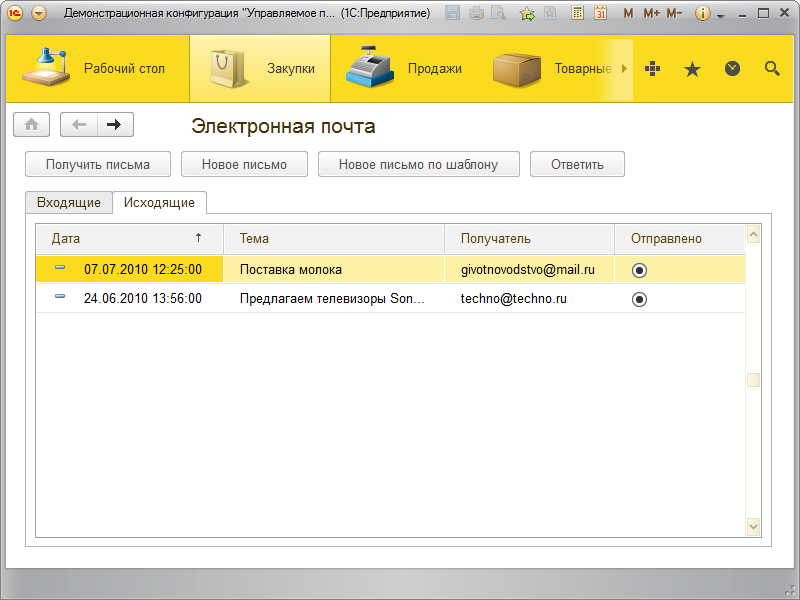 Отличительной особенностью нового интерфейса является крупный шрифт и максимизация рабочего пространства. |
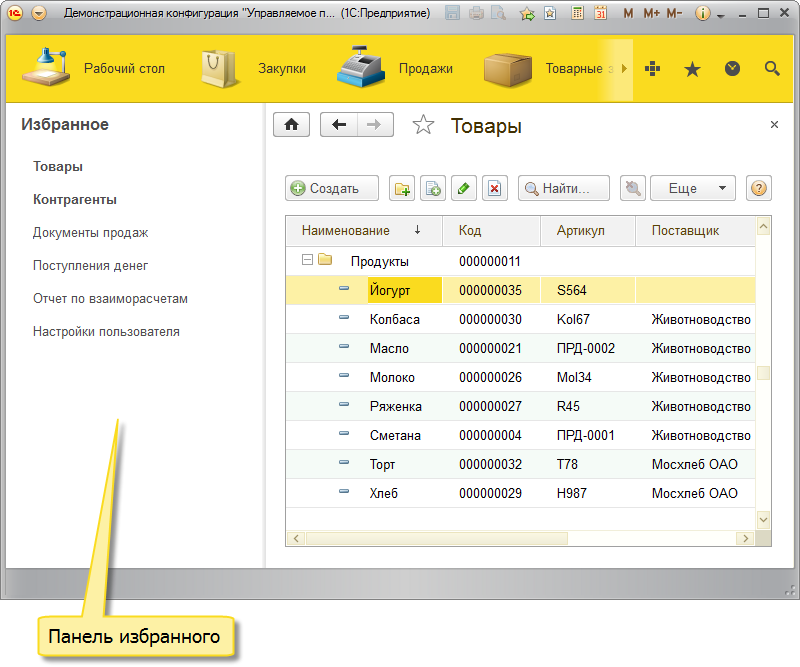 Функции, необходимые для удобной навигации по прикладному решению, реализованы в нескольких вспомогательных панелях: инструменты, избранное, история и др. |
|
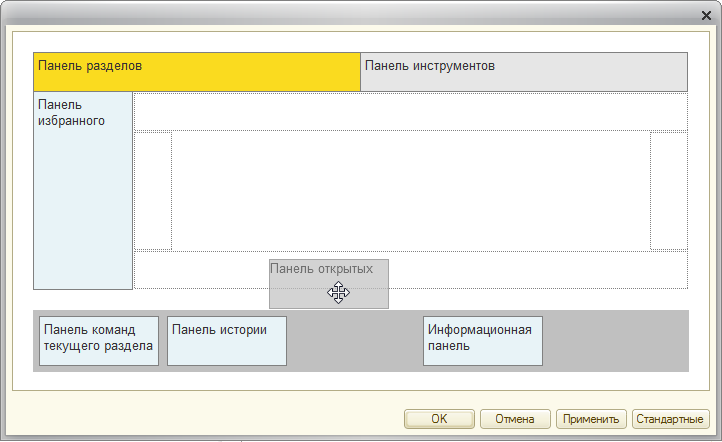 Пользователь может самостоятельно конструировать своё рабочее пространство, располагая панели в разных областях экрана: разработчик прикладного решения может задачть некоторый стандартный состав и расположение этих панелей в соответствуии с назначением и особенностями приложения. |
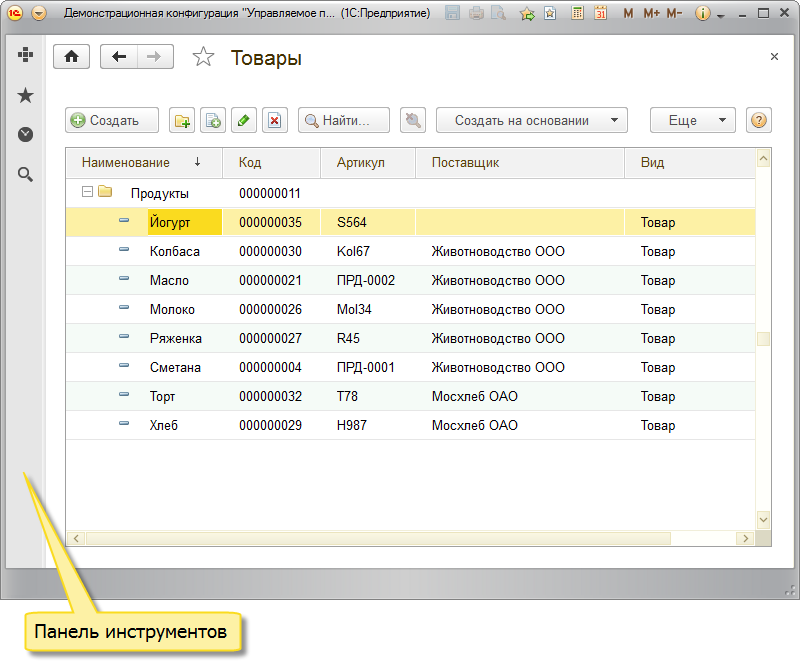 При этом пользователь имеет возможность изменить стандартную настройку и самостоятельно конструировать свое рабочее пространство, располагая панели в разных областях экрана. Можно создать минималистичное рабочее место, оставив на экране лишь панель инструментов. При этом все функции навигации по прикладному решению будут доступны с её помощью. |
|
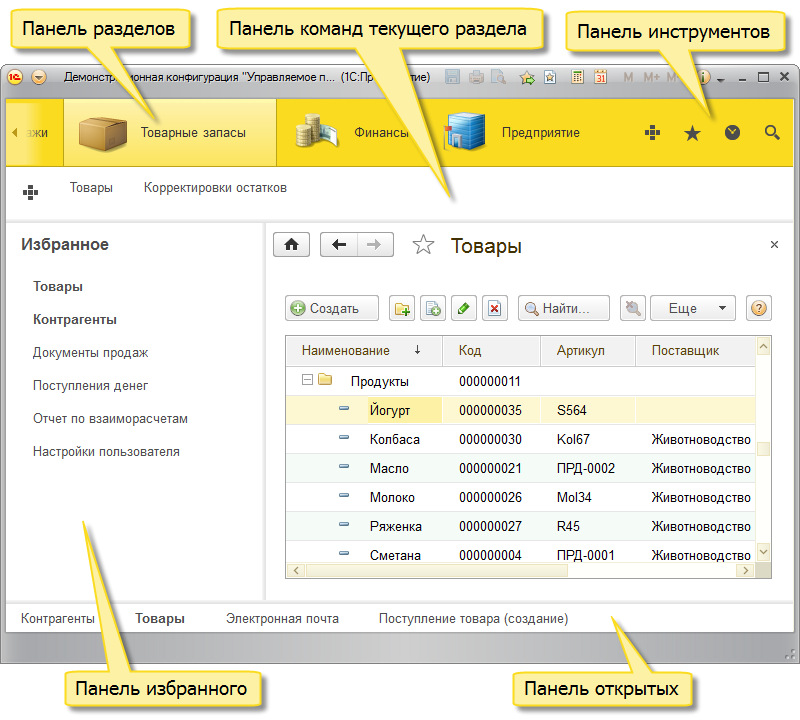 Можно разместить на экране сразу несколько панелей, обеспечив себе разнообразные и быстрые возможности перехода к различным частям прикладного решения. |
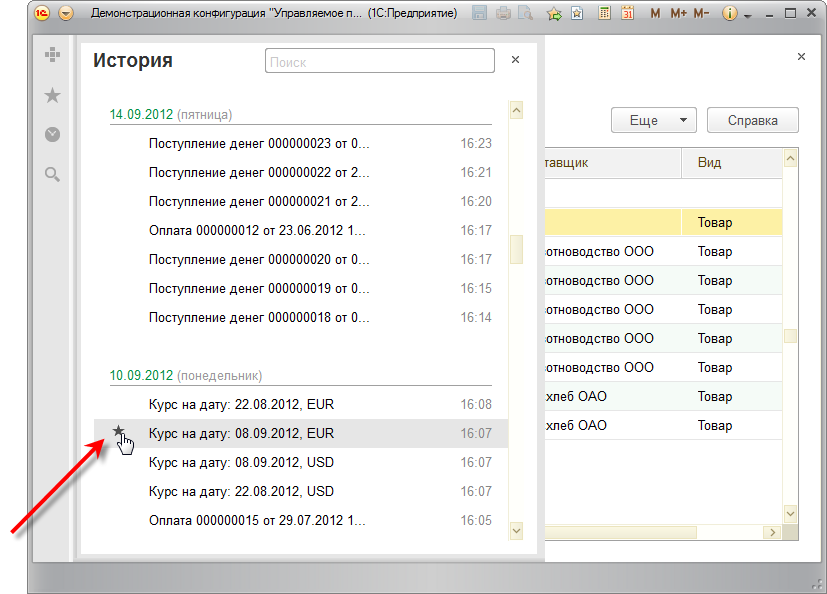 История содержит структурированный список объектов, с которыми в последнее время работал пользователь. Реализован поиск в этом списке и быстрое добавление в избранное прямо из этого списка. |
|
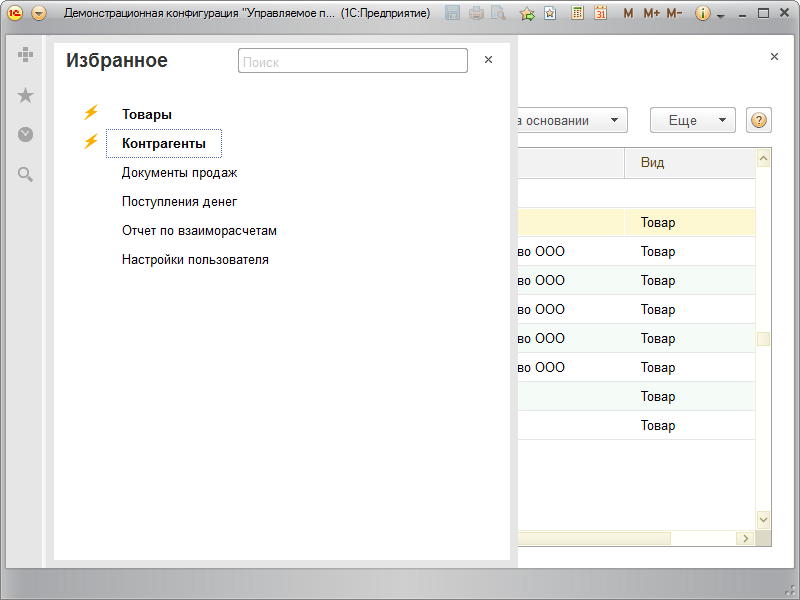 В избранном наиболее значимые элементы можно помечать как важные. |
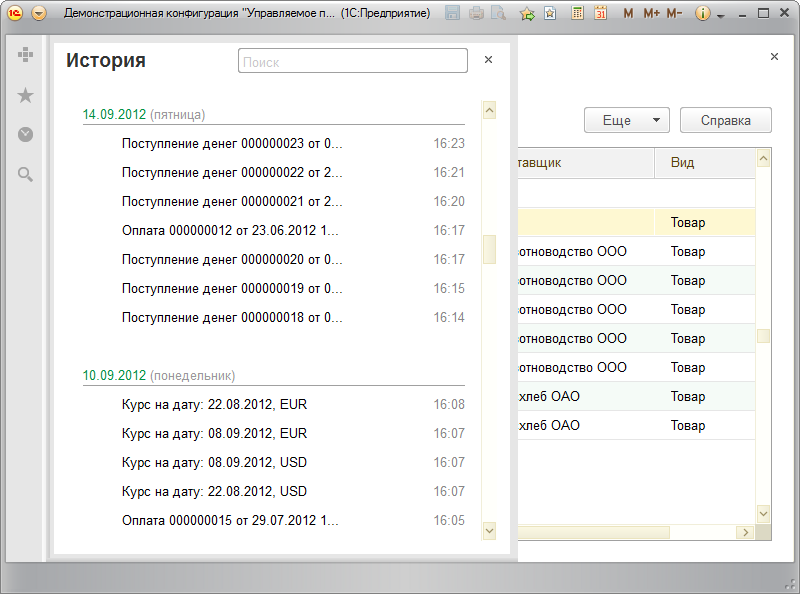 Они будут выделены и показаны в начале списка. В этом списке также реализован поиск. |
|
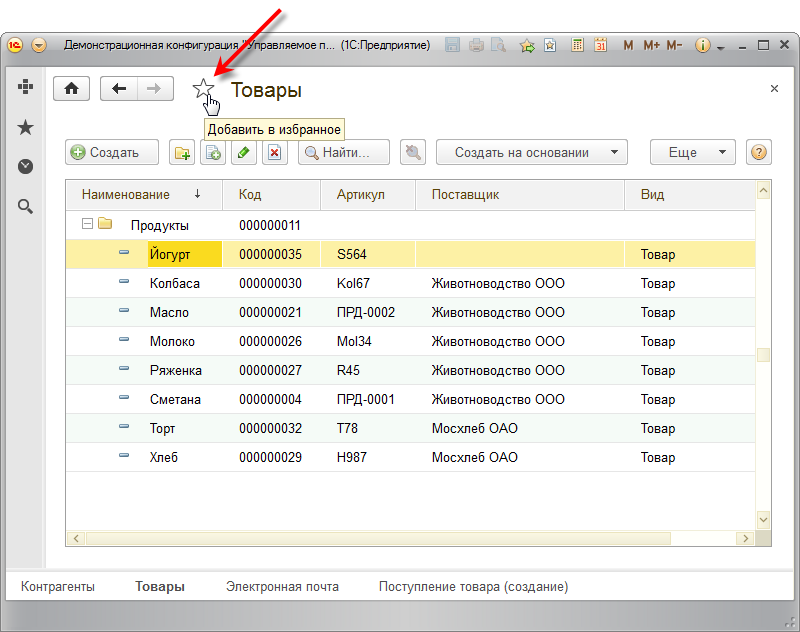 Добавлять в избранное можно как объекты, так и команды. Объект можно добавить прямо из его формы или из истории. |
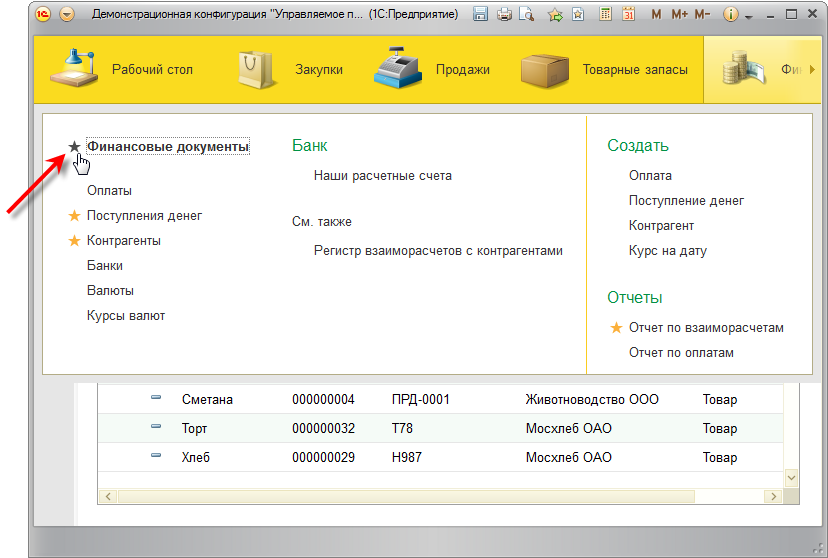 Команды можно добавлять в избранное прямо из меню функций. |
|
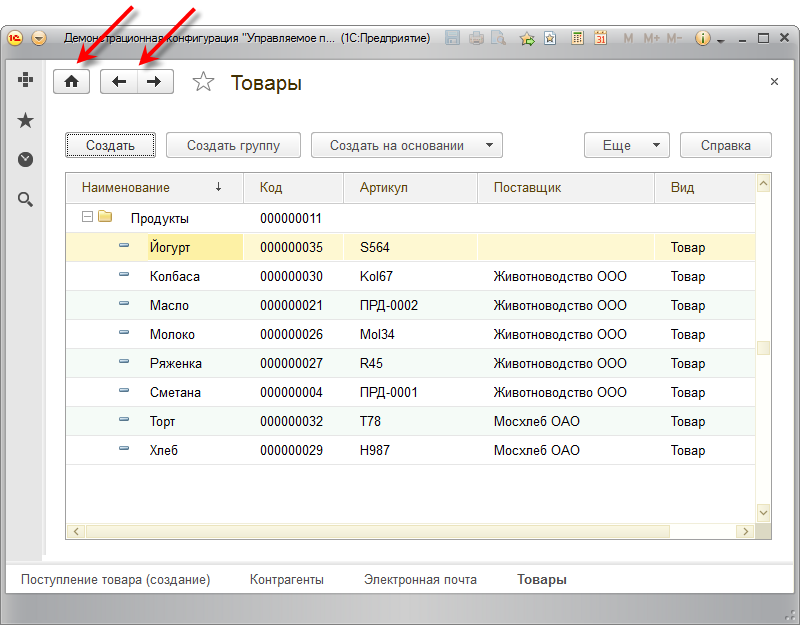 В каждой форме доступна навигация по всем открытым в данный момент формам (вперёд, назад) и быстрый переход к стартовой форме. |
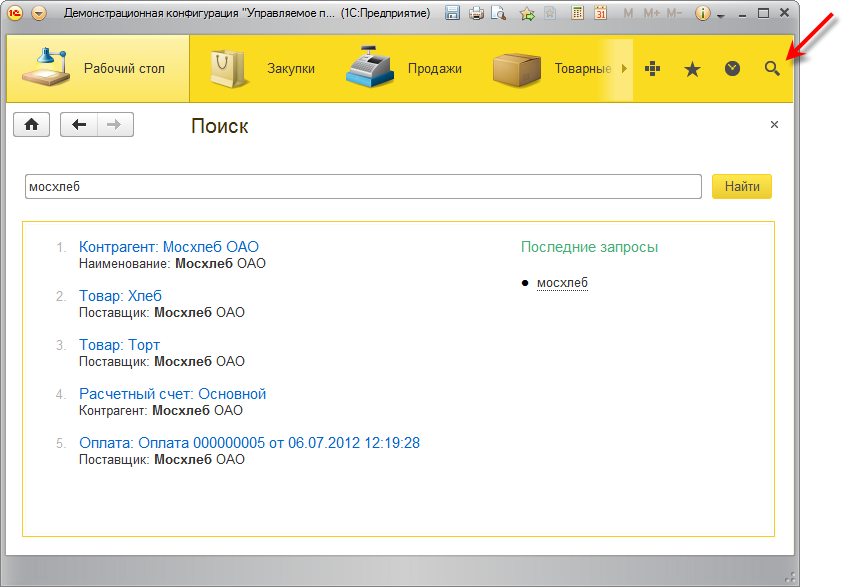 Поиск в данных реализован как стандартная функция платформы. Теперь не требуется вносить какие-либо изменения в конфигурацию, чтобы воспользоваться полнотекстовым поиском. |
|
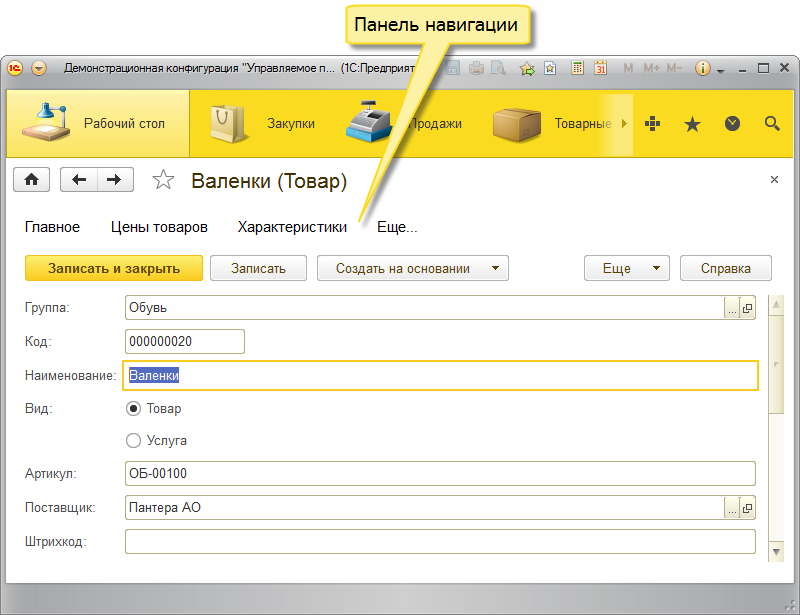 Панель навигации формы теперь размещается над рабочей областью, а не слева, как раньше. Это позволяет использовать рабочее пространство более эффективно. |
 Изменён внешний вид календаря. Выбор месяца и года сделан более удобным. |
|
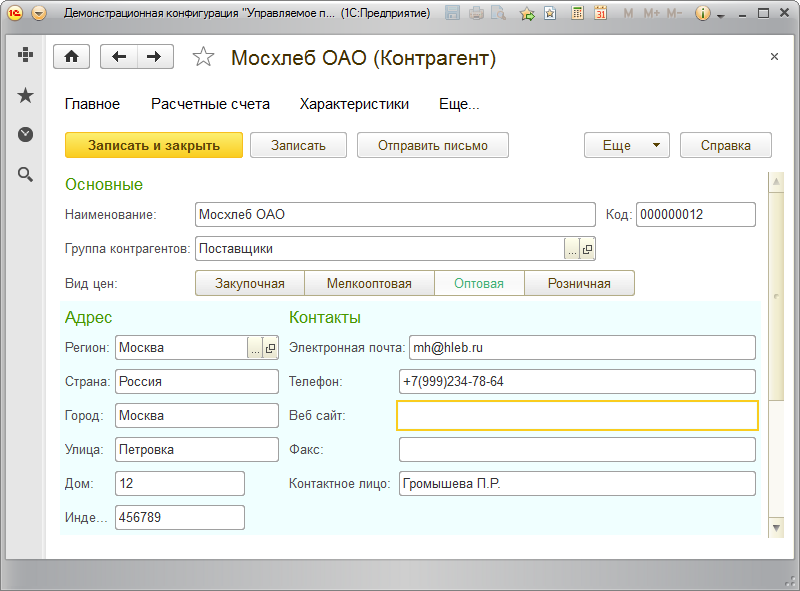 Большое количество изменений связано с элементами управления и внешним видом формы. Среди основных отличий можно выделить одинаковый белый фон формы и полей, подсветку активного поля, цветовое выделение заголовков групп и прочее. |
 Условия, по которым выполнен отбор списка, дополнительно автоматически отображаются отдельными строками в нижней части настроек. На картинке это "Бизнес-регион" и "Основной менеджер". Это позволяет быстро включать и выключать отдельные элементы отбора. |
|
 Все настройки списков (отборы, сортировка, группировка и условное оформление) теперь сохраняются автоматически. Таким образом, если пользователь однажды настроил список, то в следующий раз он увидит его с теми же настройками, которые были до закрытия. |
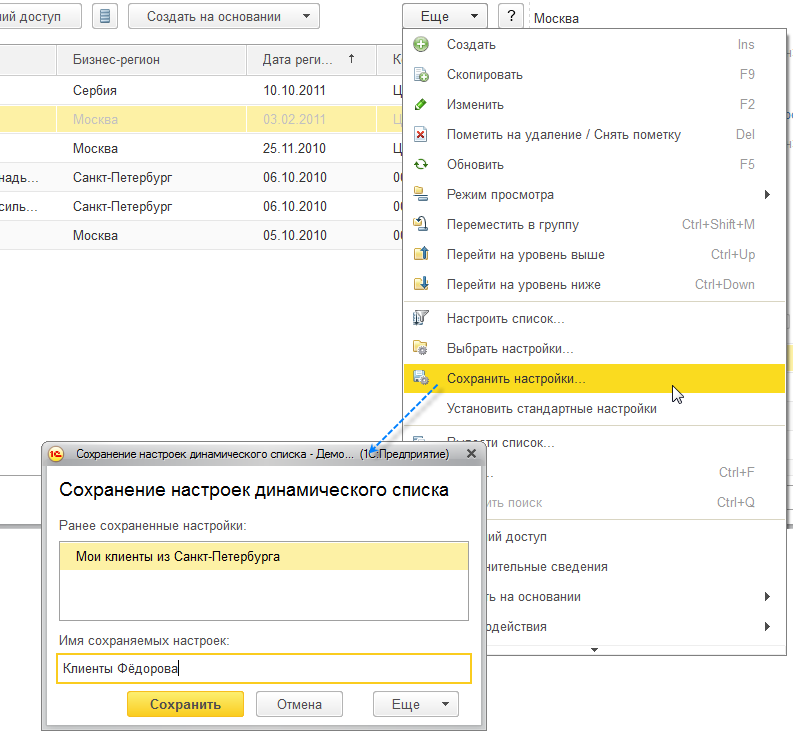 Но кроме этого настройки теперь можно сохранить и вручную, задав для них какое-нибудь понятное имя. В результате для одного и того же списка пользователь может хранить несколько вариантов его настройки. Такая возможность будет весьма полезной для сложных списков, в которых используются различные варианты условного оформления. |
1C raises license prices 1C:Enterprise 8
1C decided to increase prices in rubles for client and server licenses of the 1C:Enterprise 8 platform of the PROF level from December 30, 2013. The company announced the planned changes in October 2013, "so that users and partners have time to calmly assess the situation and make a balanced decision on the purchase or upgrade of client licenses and licenses for the 1C:Enterprise 8 server."
A comparison of the current and planned price list shows that the difference in price for the specified licenses will be about 20%. For example, the cost of a client license "1C:Enterprise 8" per workplace will increase from 5.2 thousand rubles. up to 6.3 thousand rubles, for 100 jobs - from 300 thousand rubles. up to 360 thousand rubles, and the license for the server "1C:Enterprise 8.3" - from 42 thousand rubles. up to 50.4 thousand rubles. The changes will affect both the licenses of the latest version of the platform - "1C:Enterprise 8.3" - and previous versions.
"In fact, we are now equalizing license prices at the dollar rate," 1C spokesman Alexei Kharitonov told TAdviser. - The prices that are valid now were set at the rate of 27 rubles per dollar with the expectation of the rate of 30 rubles. The planned prices are set based on the exchange rate of 33 rubles per dollar with the expectation of the exchange rate of 36 rubles per dollar, "-
1C emphasizes that this price change does not apply to the main supplies ("boxes") of the company's software products, as well as dollar prices for near and far abroad.
Changes in prices for client and server licenses of the KORP level are also not planned, they say in "1C." These licenses differ from the PROF level licenses in higher cost due to the possibility of using additional functionality of 1C:Enterprise 8 platform.
In the server of the KORP level "1C:Enterprise 8.3," in particular, there is a background update of the database configuration, additional management of distribution to working servers of the cluster in the context of information databases, types of client applications and background tasks, external session management and a number of other functions that are not available in the "regular" server.
1C knocked down the price of 1C:Enterprise 8.3 for the smallest
December 9, 2013 "1C" launched 1C: Enterprise the "8.3" MINI server for five connections. " The product is a TRP-level server designed to run no more than five user sessions in native mode and another session in configurator mode.
For each of the six maximum possible connections, you need to separately purchase a client license. Its minimum cost per workplace since December 31, 2013, after the planned increase in prices for server and client licenses of 1C products by about 20%, will amount to 6.3 thousand rubles, and 21.6 thousand rubles. - for five jobs.
The recommended price of the "mini-server" itself is 14.4 thousand rubles. For comparison - the cost of the basic server license "1C:Enterprise 8.3" of the PROF level, which does not limit the maximum number of connected users, is 42 thousand rubles, and from the end of December 2013 it should amount to 50.4 thousand rubles.
1C believes that the new product may be in demand by a significant number of users. These can be small organizations, as well as branches of medium and large enterprises, dedicated working groups, etc., TAdviser explained in the company. It can be used, for example, to automate a cash point where it is necessary to provide an increased level of fault tolerance, as well as a small office or outlet with no more than five jobs.
"The launch of this product is due to the fact that we strive to better meet the needs of those organizations that need to be efficiently and cost-effectively automate the work of a small number of users. With the advent of the "MINI server," the client-server version of the new version 8.3 "1C: Enterprises" becomes more accessible, - said TAdviser in "1C."
The new product uses software protection: to work, you must install a license on the server computer as a file. At the same time, several such licenses installed on the same server computer will not allow increasing the number of client licenses used simultaneously with the same information base, they say in "1C." To increase the number of users working in the client-server variant, you will need to purchase regular server licenses.
An upgrade to the 1C:Enterprise 8.3 mini-server from other 1C:Enterprise 8 servers cannot be made, however, when performing an upgrade from platform version 7.7 or from the basic 1C:Enterprise 8, you can purchase this server together with the main delivery of the platform. 1C notes that this can reduce the cost of the purchased set of products.
Solutions "1C" for builders, housing and communal services and catering will rise sharply
Together with the increase in prices for server and client licenses of 1C:Enterprise 8 platform, since January 2014, client licenses of a number of specialized and industry 1C solutions developed jointly with partners will also rise in price. The change in prices will affect, in particular, solutions for construction and real estate, for housing and communal services and power, for agriculture, the food industry, the food industry, for publishing and printing, as well as for the chemical industry. Among the specialized solutions that will cost more - "1C: Project Organization Management," "1C:WMS Logistics. Warehouse Management, 1S:TOIR Equipment Repair and Maintenance Management, etc.
As with 1C platform prices, the cost of client licenses for industry solutions will increase by about 20% on average. So, for example, the recommended price of a license "1C: Accounting of a construction organization" for one workplace will increase from 3.85 thousand rubles. up to 4.62 thousand rubles, and licenses "1C: Dairy" for one workplace - from 5.2 thousand rubles. up to 6.3 thousand rubles.
The rise in price of 1C:Enterprise 8 platform in 1C was previously explained by the desire to equalize license prices at the dollar exchange rate, which at the time of setting these prices was lower than at the end of 2013. The reasons for the increase in prices for licenses of industry and specialized solutions are the same, TAdviser said in 1C.
"In terms of" 1C-Joint "industry products, prices for client licenses differ from typical prices for client licenses" 1C: Enterprises. " Together with partners - developers of "1C-Joint" industry products, we decided to equalize these prices as well, according to the same principle as the prices of "ordinary" licenses "1C: Enterprises," says the representative of "1C" Alexey Kharitonov.
In the case of the platform, against the background of the upcoming rise in price of licenses, 1C released a special version of 1C:Enterprise 8.3 server, which allows it to be used for five user connections at a price lower than the total. 1C notes that all solutions on the 1C:Enterprise 8.3 platform, both standard and industry, can work with this version.
The company adds that the prices for the main supplies ("boxes") and special delivery kits of industry "1C-Joint" solutions for 5 or 10 users do not change, i.e. "small enterprises practically do not affect these changes."
The company also said that from January 2014, prices for joint products of the MS SQL Server line for 1C:Enterprise 8 will also change. The changes affect both available versions of the DBMS - MS SQL Server 2008R2 and MS SQL Server 2012.
2012
1C: Enterprise 8.3.2
In October 2012, 1C released a new trial version 8.3.2 of its 1C: Enterprise platform, in which the mobile platform first appeared. Now by selecting the appropriate item in the configurator, the developer can create an application for Apple or Android devices.
Such software will work on iPhone 3GS and higher, any versions of iPad, iPod Touch starting from the 3rd generation. Version OS Android must be at least 2.2.
Until now, users could work with applications based on "1C: Enterprises" from mobile devices only through a browser. Now, for the first time, programmers have the opportunity to create autonomous applications. 1C lists the limitations of mobile applications compared to PC versions. This is the use of not all object classes, a limited set of form elements, only one form on the desktop and the inability to use the query language to the database, which simply does not exist on the mobile device.
New Evaluation Version of Platform 8.3.2. is available to partners-official users of version 8 of the "Enterprise" with a valid contract with "1C" on the user support website. In addition to adding a mobile version to the platform, automated testing has appeared, i.e. software simulation of user actions, and memory work has been optimized.
1C: Enterprise 8.3.1
The company 1C"" informed in June 2012 users and partners about the release of the 03.07.2012 trial version 8.3 (8.3.1) of the program system platform 1C: Enterprise"."
In version 8.3.1:
- Cloud and Internet technologies have been developed;
- Redesigned and enhanced server cluster scalability mechanisms
- Extended administration tools
- implemented client applications and administration tools for Linux;
- uploading the configuration to and downloading from a set of files;
- the mechanism of external data sources has been improved;
- new capabilities for working with complex analytical reports have been implemented;
- improved usability;
- system operation is optimized, including with various DBMS.
Platform version 8.3.1 is available at no additional cost to registered users of the 1C: Enterprise 8 system who entered into the 1S:ITS agreement and 1C partners.
Server Cluster Development A new server cluster load balancing architecture has been implemented:
- the administrator determines the composition of the computers (working servers) on which the cluster is located,
- can determine the "requirements" for them: which services and connections to information bases should work on each of the working servers,
- cluster managers and workflows start automatically based on assigned "requirements,"
- "requirements" for working servers can be set interactively, from the cluster administration console, or programmatically, from the built-in language.
You can set the failover level of a cluster to the number of production servers that can fail simultaneously, and this will not cause users to crash. Backup services are started automatically in the amount necessary to ensure the specified fault tolerance. In real time, the active service is replicated to the standby service.
The load is automatically distributed between the production servers based on an up-to-date analysis of their available performance. It is possible to manually adjust the load on individual work servers by limiting the number of information bases and the number of connections served by one work process on a particular server.
The ability to limit the amount of memory consumed by workflows has been introduced. You can limit the maximum amount of memory consumed by all workflows and limit the amount of memory consumed per workflow call. This allows you to increase the resilience of the server cluster to careless user actions.
Two new services have been implemented as part of the cluster:
- Licensing service. Issues software licenses to run the client application and to use the 1C: Enterprise server. The presence of a separate licensing service allows you to freely configure working cluster servers or deploy the cluster on virtual servers with dynamic parameter changes.
- External Session Management Service. Allows you to limit the number of users connecting to a particular information base. Informs the external system about the start and end of the session, receiving permission or prohibition to start the session in response. Interaction with an external system is carried out through a web service that has a certain set of methods.
Significantly reduced memory consumption by cluster workflows.
Downloading a Thin Client from the Internet
When users are on a local network, the platform can automatically update the client application version of users if the version installed on the server has changed. Now, this automatic installation of the thin client of the desired version is also possible when users connect to the server cluster over the Internet.
If a version mismatch between client and server applications is detected, the platform will be able to download and install the required version of the thin client over an HTTP connection or using a web service. The address from which you need to get a thin client distribution can be transmitted by the server or explicitly indicated in the settings of the client part 1C: Enterprise.
Support for secure Internet connections
Support for secure SSL connection and certificates has been implemented in all platform mechanisms using the Internet:
- Thin client (for both Windows and Linux),
- Web services 1C: Enterprises,
- Built-in language objects that implement work using FTP and HTTP protocols,
- Internet mail.
Certificates from a standard operating system store or file can be used. You can configure the use of certificates through the command line or in the information base launch options dialog.
Support for external components and extensions== = Google Chrome and Safari browsers support external components and file extensions. This allows, in particular, to ensure the operation of the web client in these browsers with local devices, for example, trading equipment.
Restructuring the Information Base in the Background
During the operation of the application solution, changes are usually made to it. These changes may affect the structure of the database. In this case, the information base is restructured when the configuration is updated.
Restructuring is carried out in exclusive access mode, that is, during this period, users cannot work with the program. On complex, multifunctional application solutions and on large information bases, restructuring can take considerable time. Previously, monopoly access was required for the entire duration of the restructuring, and this process had to be continuous. If it was interrupted, the next time I had to start again.
Now the bulk of changes during restructuring are carried out in the background, without stopping the work of users. Monopoly access is still required, but only in the last, short phase of restructuring.
Background restructuring works only in the client-server version of the system. It can be launched interactively, from Configurator mode or from the command line. The process of background restructuring can be temporarily stopped, and then continued from the "place" where they stopped.
Linux Client Applications
Previously, users on the Linux operating system could only work using a web client under one of the Internet browsers supported on Linux.
Now client applications have been created for the Linux operating system, similar to those that exist for the Windows operating system:
- A thin client that allows users to work in managed application mode,
- Thick client that provides work:
- in normal or managed application mode - for system users,
- in Configurator mode - to administer the information base and to change the configuration.
Both of these client applications support file and client-server options. They are implemented for both the x86 architecture and the x86-64 architecture.
Thanks to this, not only users of 1C applications can now work in the Linux operating system: Enterprises, but also developers of these applications, as well as administrators of information bases.
Cross-Platform Client/Server Administration Tools
Previously, to administer a cluster of 1C: Enterprise servers, the system must have included a computer running the Windows operating system. On this computer, a utility was launched with which you could perform all administrative actions on the cluster.
The cluster can now be administered from any computer running both Windows and Linux. To do this, 1C: Enterprise has two tools:
- Administration Server,
- Command line utility.
The administration server is a cross-platform application and is designed to transfer control commands to one cluster of 1C: Enterprise servers. It can be run as a console application, as a Windows operating system service, or as a daemon of the Linux operating system.
The command line utility is used to generate commands to the administration server and to display the information received from it. It is also a cross-platform application. This utility supports the entire set of commands required to administer the server cluster.
Uploading structure and configuration data to and from a file set
Any configuration can be uploaded to the specified directory as a set of files. Configuration objects are uploaded to the XML file set. Software modules are uploaded to text files. Help is uploaded to HTML files. Using the XML format, you can process and analyze the configuration both programmatically and manually.
You can load/unload the configuration either interactively in the configurator or from the command line for starting the configurator.
Refinement of External Data Source Mechanism
- External source data can be placed in temporary tables for use in complex queries.
- When connecting to an external source, you can use operating system authentication.
- Improved work with external sources that are not Microsoft SQL Server, PostgreSQL, IBM DB2 or Oracle Database databases,
- References to external source table objects are now involved in the search for references along with references to 1C: Enterprises information base objects.
- Work with external sources containing hierarchical data is supported.
- The possibility of software redefinition of the form opened for viewing data of an external source is implemented,
- External sources can participate in data splitting and be included in separators,
- You can reference any external data source table in forms.
Development of complex analytical reports
- Editing report settings is more convenient and understandable. They are now edited in individual report fields rather than in a single table as before,
- Statistical functions have been added to the expression language of the data layout system to calculate standard deviation, variance, covariance, correlation, regression. A number of algebraic and trigonometric functions are also implemented,
- In the data layout system, the output to the report of fields from data sets that are associated with this data set but not related to each other is implemented.
- The diagrams implement smoothing modes, connections of series elements, as well as new types of diagrams: Funnel and Volume Funnel,
- The operation of functional options in managed forms and in the data layout system is unified.
Usability
- Improved navigation and editing in the form table
- You can specify arbitrary representations for references to any objects (both 1C: Enterprises and external sources): reference books, documents, etc.,
- Navigation links to global command interface commands and lists are implemented. Clicking on a command link executes this command, and clicking on a list link opens the list form,
- A new data type is implemented - FormattedString, in which the text/background color, font and hyperlink can be specified. The formatted string can be the identity of the form and can be displayed in the text box,
- Improved drop-down list design for input field,
- Improved tooltip design for form elements. You can specify prompts:
- displayed inside the item when it is not full,
- pop-up when the cursor hovers,
- always displayed next to the item,
- displayed by clicking on a separate button,
- Groups located in the form can be highlighted in different background colors.
- The Web Client has greatly enhanced the ability to edit a table document.
Other changes
- The formatted document has been seriously improved. Now from the built-in language you can fully manage the contents of the document and create documents of any complexity,
- The platform tools support two-way printing and its configuration from the built-in language,
- The built-in language implements the ability to download and pre-process graphic files containing signatures and prints. This makes it easier to create and improve the appearance of printed documents.
- In the configurator, in the form editor, you can interactively customize the contents of diagrams, dendrograms, Gantt diagrams, table documents, graphic and geographical diagrams that are the details of the form; in many cases, this allows you to abandon the use of layouts or software filling of such details,
- The role comparison report is made simpler and easier to read,
- The process of publishing the information base on the web server is made more convenient and transparent. Now, right in the configurator, you can view and change all publishing parameters,
- The log records events related to OpenID authentication.
- Support for 1C: Enterprises with Microsoft SQL Server 2012,
- Support for Windows Internet Explorer 6 and Mozilla Firefox 3.0 and 3.5 browsers has been discontinued.
Optimization
- Fast Web Client,
- Optimized work with Microsoft SQL Server DBMS:
- reduced the number of interlocks in multi-user operation by using the transaction isolation level READ_COMMITED_SNAPSHOT,
- accelerated work with time tables,
- Faster writing and reading of data,
- accelerated loading of the information base from the file,
- accelerated restructuring of the information base,
- Optimized work with PostgreSQL DBMS:
- accelerated update of totals,
- it is possible to place indices and data on different physical media,
- accelerated updating of the information base configuration,
- Optimized work with IBM DB2 DBMS:
- expedited some operations,
- increased parallelism in the operation of a large number of users,
- Optimized work with Oracle Database DBMS:
- accelerated work with the results,
- Speed up work when using complex restrictions at the level of records and database fields,
- accelerated updating of the information base configuration,
- Improved server cluster scalability and performance for reference data types
- The execution of queries using the HIERARCHY construct is optimized.
- The execution of complex requests to the accounting ledger is optimized,
- Accelerated reading from the register and writing to the accounting ledger in some modes,
- The execution of queries that use the TOTALS clause and return a large number of records is optimized.
- The information registers have implemented the storage of totals, thereby speeding up the obtaining of the cut of the first and the cut of the last information registers,
- For some mechanisms of the platform, memory work is optimized,
- Faster opening of forms by optimizing data reading by dynamic lists,
- Improved operation with ledger totals in data splitting mode.
Upgrade and Complete Change List
To manage the transition to version 8.3.1 and ensure the ability to return to the previous version of the platform, the compatibility mode with version 8.2.16 is implemented.
When a legacy configuration opens with version 8.3.1, it is automatically set to compatibility with version 8.2.16. This ensures that most of the platform mechanisms in which significant changes have been made will work as before, and the data structures created by the platform will not change.
To take advantage of the new capabilities of the 8.3.1 platform, you need to switch the configuration compatibility mode to Do not use and restructure the information base.
If you then want to return to the previous version of the platform, you must set the compatibility mode to Version 8.2.16 and restructure again.
Notes
- ↑ " Support for ARM architecture processors since version 8.3.22 of the 1C: Enterprise platform
- ↑ " Prices for 1C programs remain the same
- ↑ [https://1c.ru/news/info.jsp?id=29208 , the company
- ↑ . From March 5, 2022, new prices for 1C: Enterprise products with hardware protection (USB) are set. Similar products with software protection are sold at the same ]prices
- ↑ "1C: Enterprise" switched to Russian Java
- ↑ Dr.Web reports the first 1C Trojan to run a ransomware ransomware

| The site content is translated by machine translation software powered by PROMT. The machine-translated articles are not always perfect and may contain errors in vocabulary, syntax or grammar. Read original article If you find inaccuracies or errors in the results of machine translation, please write to editor@tadviser.ru. We will make every effort to correct them as soon as possible. |